项目摘要
本项目旨在研发一个基于先进YOLO系列目标检测算法(YOLOv8/v10/v11/v12)与SpringBoot框架的前后端分离式学生课堂行为智能识别与分析系统。系统通过深度学习技术,自动识别学生在课堂上的多种典型行为,如举手、阅读、书写、使用手机、低头、趴桌等。系统提供Web交互界面,支持用户管理、多种检测模式(图像、视频、实时摄像头)、模型动态切换、数据可视化以及集成DeepSeek智能分析功能。所有识别记录与用户数据均持久化存储于MySQL数据库,为课堂教学质量评估与学生专注度分析提供了高效、智能的解决方案。
一、 引言
在智慧教育迅猛发展的今天,对课堂教学过程进行客观、精准的量化分析变得愈发重要。传统的课堂观察方法主观性强、效率低下,难以进行大规模应用。随着计算机视觉与深度学习技术的成熟,利用人工智能自动分析学生课堂行为已成为可能。
本系统应运而生,它集成了目标检测领域前沿的YOLO系列模型,构建了一个稳定、易用、功能完备的前后端分离应用。该系统不仅能够实时、准确地识别多种课堂行为,还通过友好的Web界面将分析结果可视化,并借助DeepSeek的智能分析能力提供更深层次的洞察。项目的核心目标是赋能教育管理者与教师,助力实现数据驱动的教学决策与个性化教学干预,最终提升课堂教学效果与学生的学习体验。
二、 项目背景
当前教育环境正经历数字化转型,但课堂行为分析仍存在以下痛点:
-
主观性难题:教师或督导的人工观察易受个人经验、注意力等因素影响,缺乏统一、客观的评价标准。
-
效率瓶颈:人工分析海量的课堂录像需要耗费巨大的人力与时间成本,难以常态化开展。
-
数据挖掘不足:即便记录了行为数据,也缺乏有效的工具进行深度挖掘、趋势分析和可视化呈现,数据价值未被充分释放。
-
技术集成挑战:优秀的深度学习模型需要与易用的软件系统结合,才能在实际教育场景中落地,降低使用门槛。
为解决上述问题,本项目将YOLO算法的高效检测能力与成熟的SpringBoot企业级开发框架相结合,并引入DeepSeek的智能分析特性,旨在打造一个从算法到应用、从数据采集到分析管理的全链路解决方案,推动智慧课堂建设的深入发展。
三、 系统核心功能
-
🔐 用户认证与管理:完善的用户登录注册机制,支持密码强度检测。提供用户管理模块(管理员可增删改查)和个人中心(用户可修改个人信息、头像、密码等)。
-
🔄 多模型动态切换:系统后端集成YOLOv8, v10, v11, v12四种模型,用户可在前端界面自由切换,便于比较不同模型的性能。
-
📊 全方位检测模式:
-
图像检测:上传单张或多张图片进行行为识别。
-
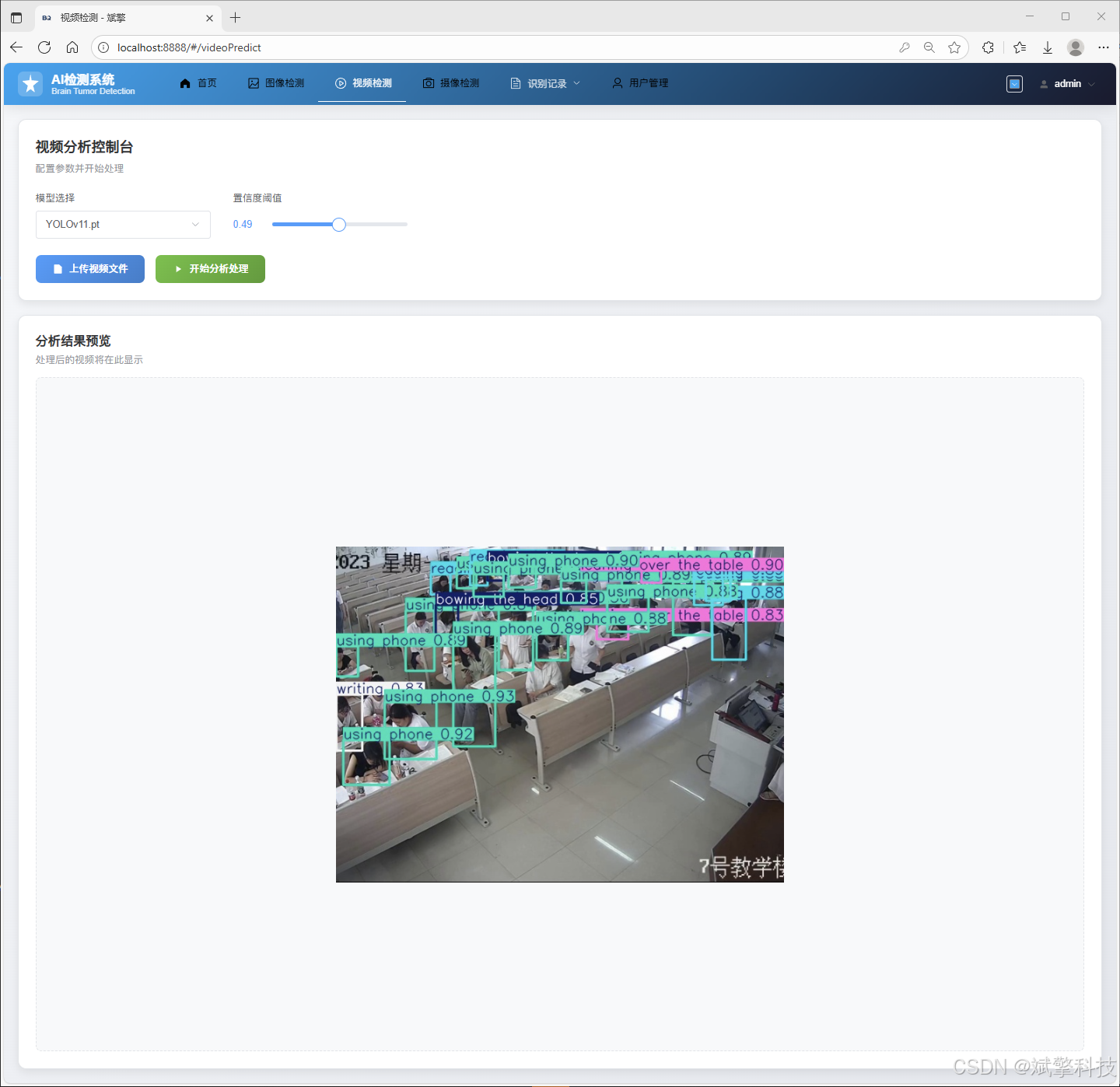
视频检测:上传课堂录像视频,系统逐帧分析并生成检测结果。
-
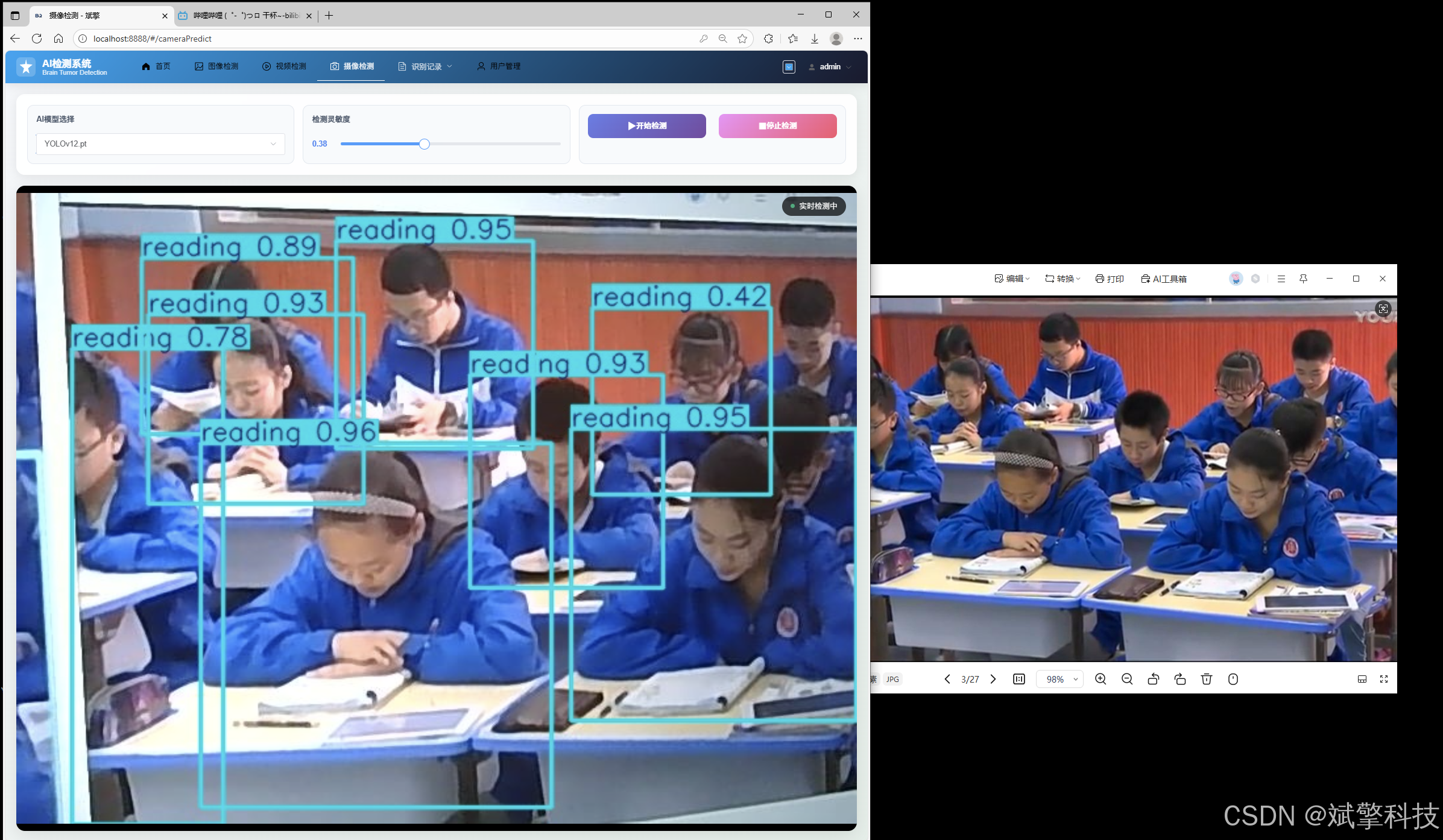
实时摄像头检测:连接摄像头进行实时流媒体分析,适用于在线课堂或教室实时监控。
-
-
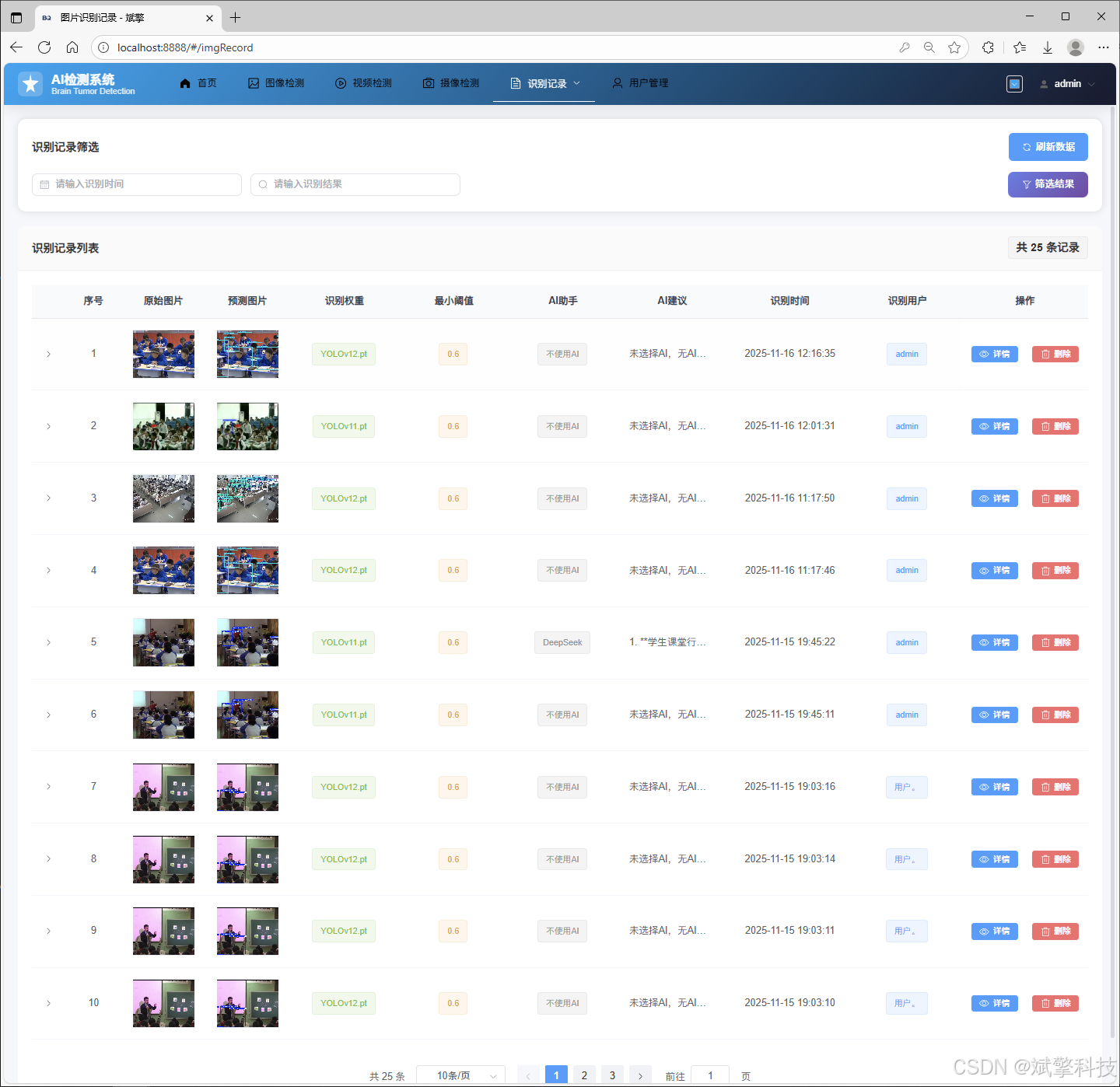
💾 数据持久化与记录管理:所有检测任务(图片、视频、摄像头)的结果与记录都会保存至MySQL数据库,并提供独立的页面进行历史记录查询、回看和管理。
-
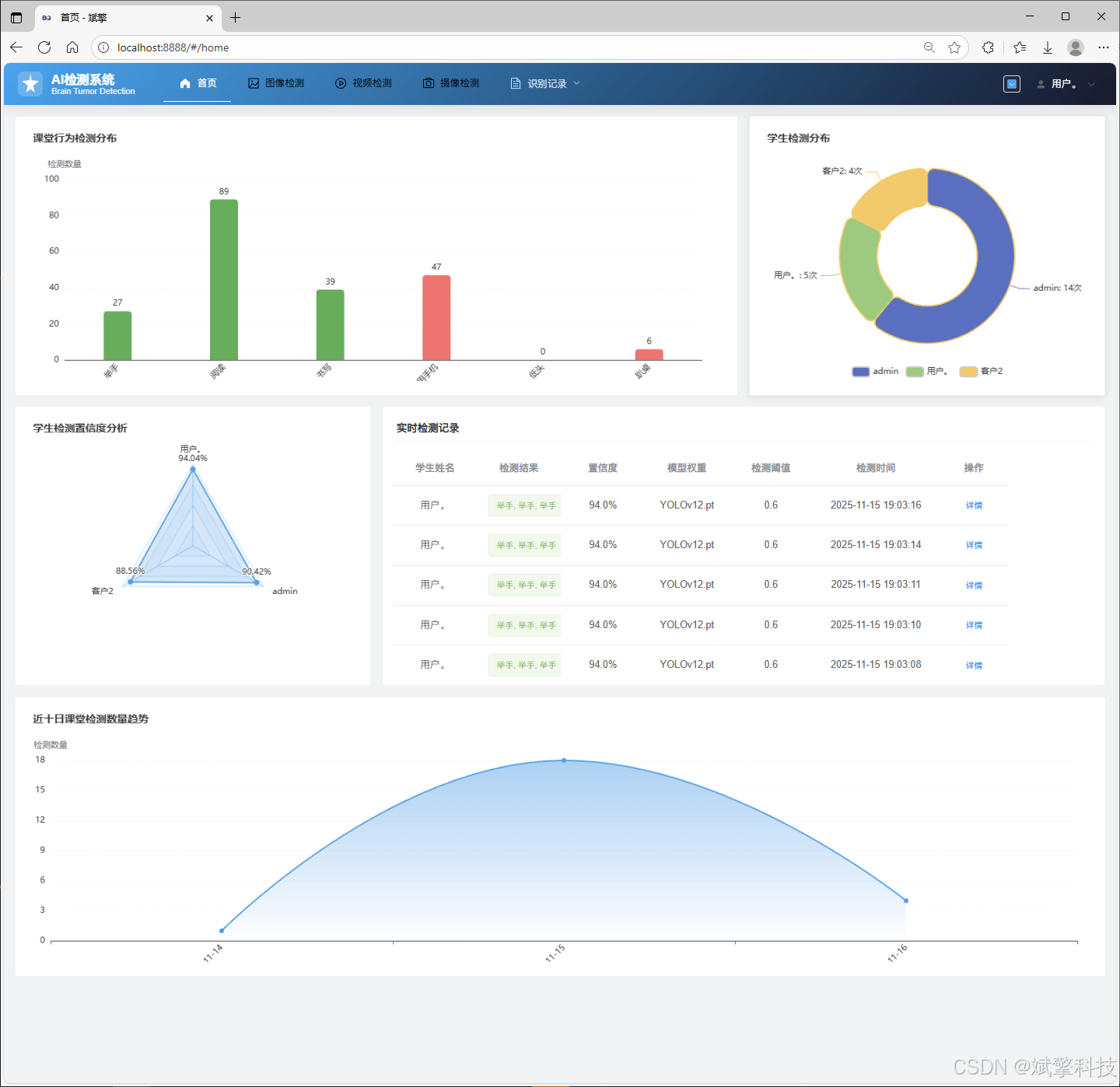
📈 信息与数据可视化:通过图表、仪表盘等形式,对识别出的行为数据进行统计和可视化展示,如各类行为频率分布、时间趋势等。
-
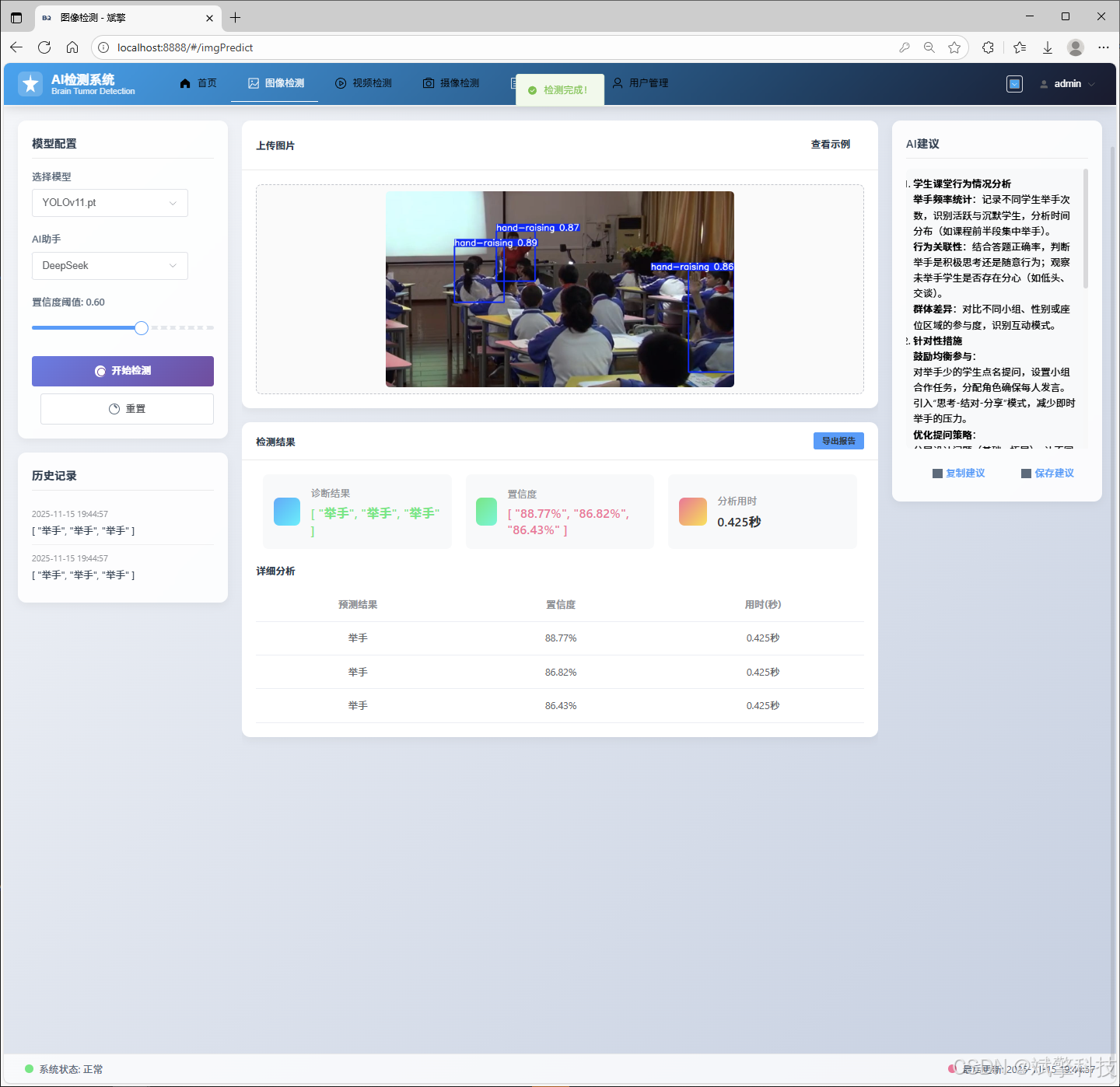
🧠 DeepSeek智能分析:在图片检测中,集成DeepSeek的AI分析功能,可对检测场景或结果提供更深层次的语义理解或文本描述。
-
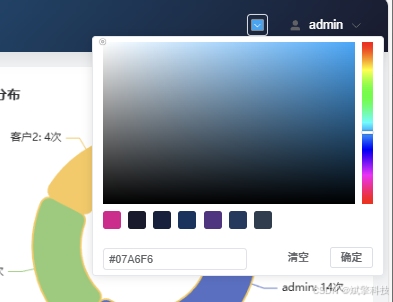
🎨 个性化界面:支持用户自定义导航栏背景颜色,提升用户体验。
四、 数据集介绍
本项目采用一个专门针对课堂场景构建的学生行为检测数据集。
-
类别数(nc):6
-
类别名称(names):
-
hand-raising(举手) -
reading(阅读) -
writing(书写) -
using phone(使用手机) -
bowing the head(低头) -
leaning over the table(趴桌)
-
-
数据集划分与规模:
-
训练集(Train):1,422 张图像。用于训练YOLO模型,学习并拟合各类行为的视觉特征。
-
验证集(Validation):203 张图像。在训练过程中用于调整超参数和监控模型性能,防止过拟合。
-
测试集(Test):407 张图像。用于在模型训练完成后,独立、客观地评估模型的最终泛化能力和识别精度。
-
该数据集涵盖了课堂中积极(如举手)与消极(如使用手机、趴桌)等多种典型行为,为模型在实际课堂复杂环境下的鲁棒性提供了数据基础。数据集的规模适中,确保了模型能够有效学习的同时,也兼顾了训练效率。
目录
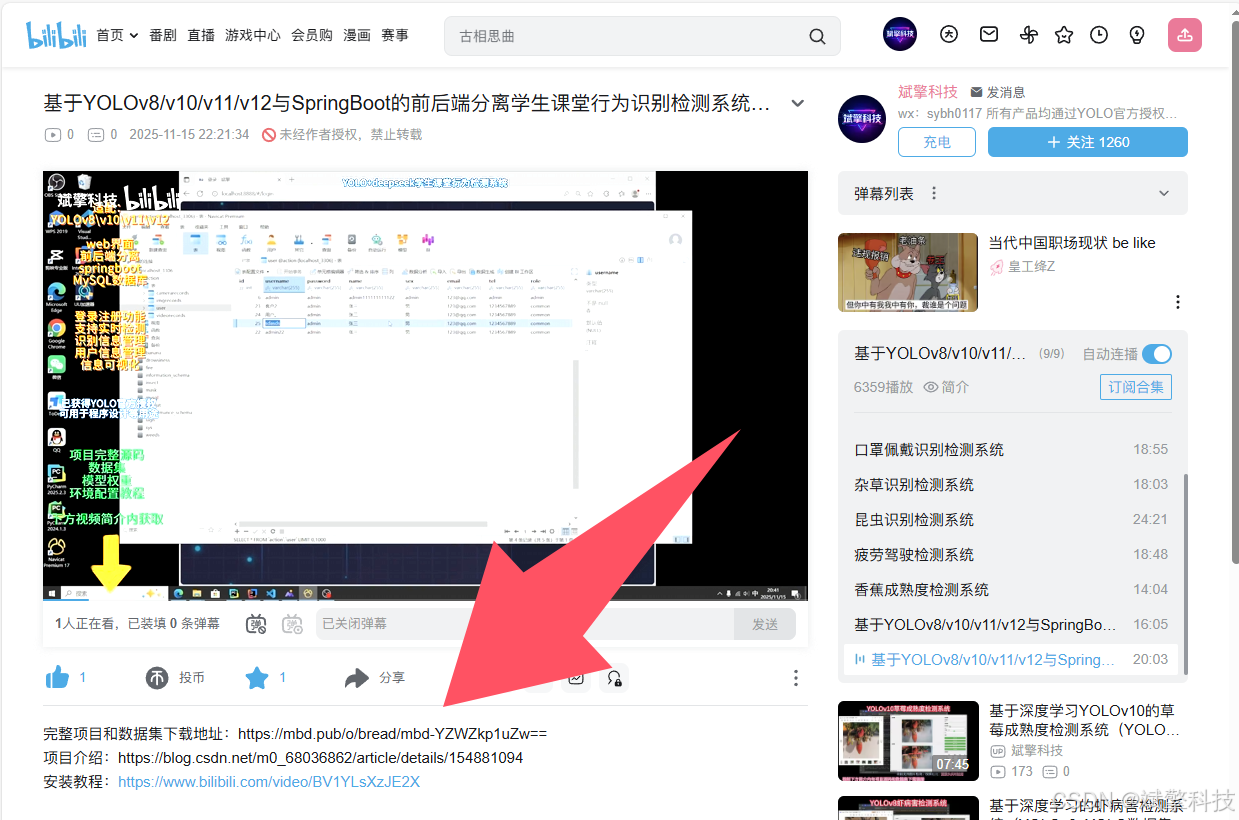
项目源码+数据集下载链接
完整代码在哔哩哔哩视频下方简介内获取:
基于YOLOv8/v10/v11/v12与SpringBoot的前后端分离学生课堂行为识别检测系统(DeepSeek智能分析+web交互界面)_哔哩哔哩_bilibili
 https://www.bilibili.com/video/BV1RMCmBeEpm/?spm_id_from=333.1387.homepage.video_card.click&vd_source=549d0b4e2b8999929a61a037fcce3b0f
https://www.bilibili.com/video/BV1RMCmBeEpm
功能模块
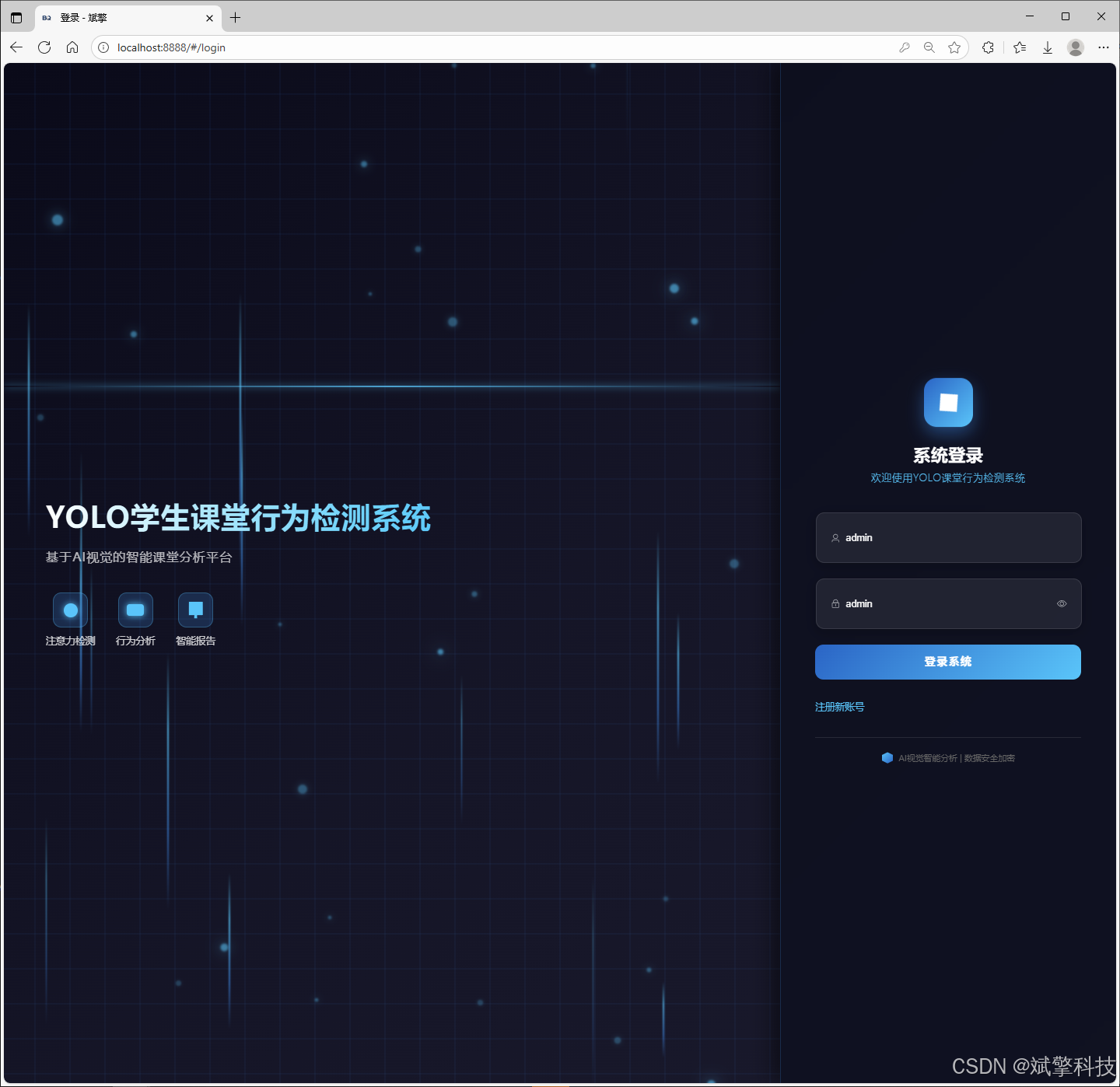
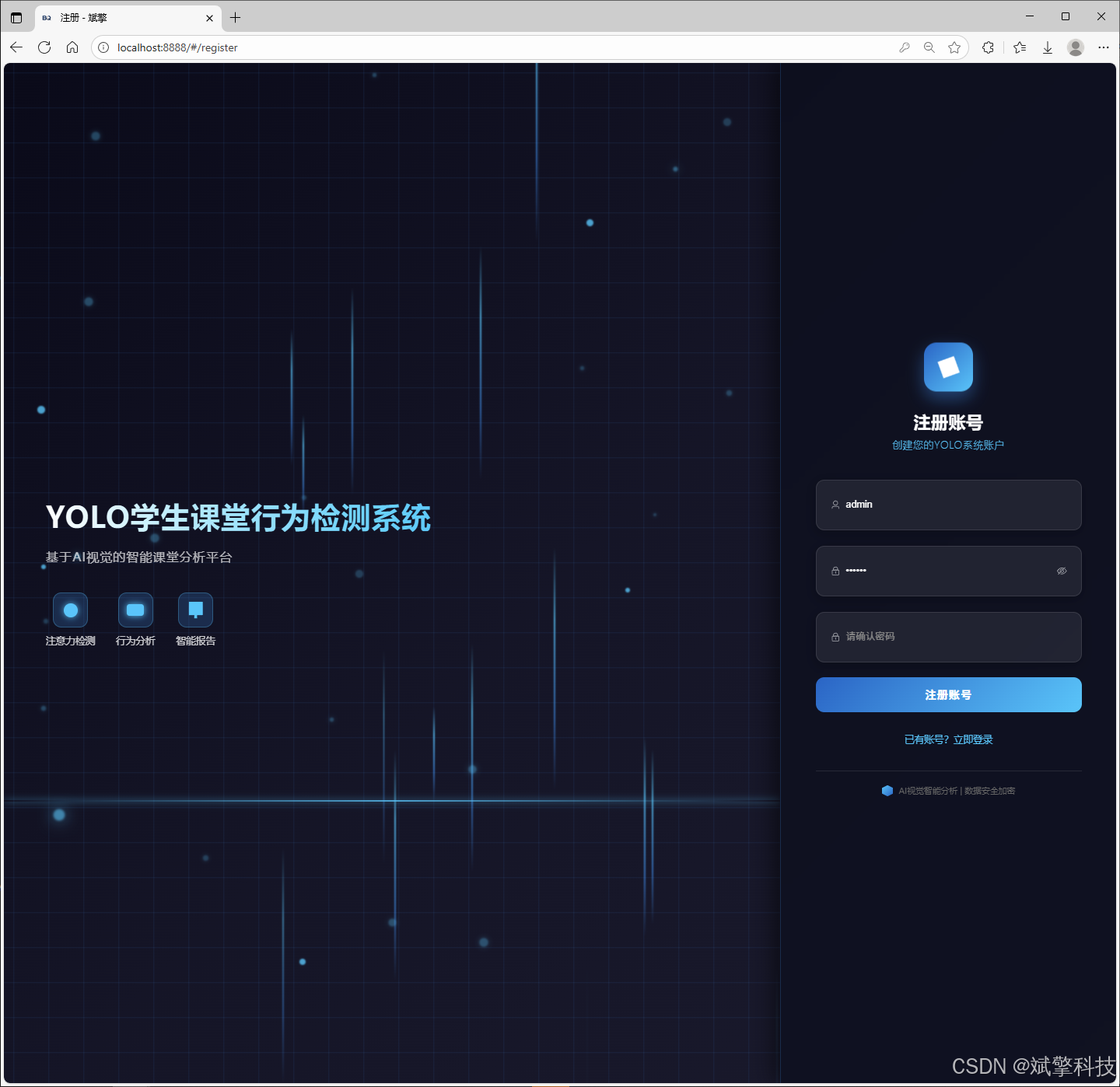
✅ 用户登录注册:支持密码检测,保存到MySQL数据库。
✅ 支持四种YOLO模型切换,YOLOv8、YOLOv10、YOLOv11、YOLOv12。
✅ 信息可视化,数据可视化。
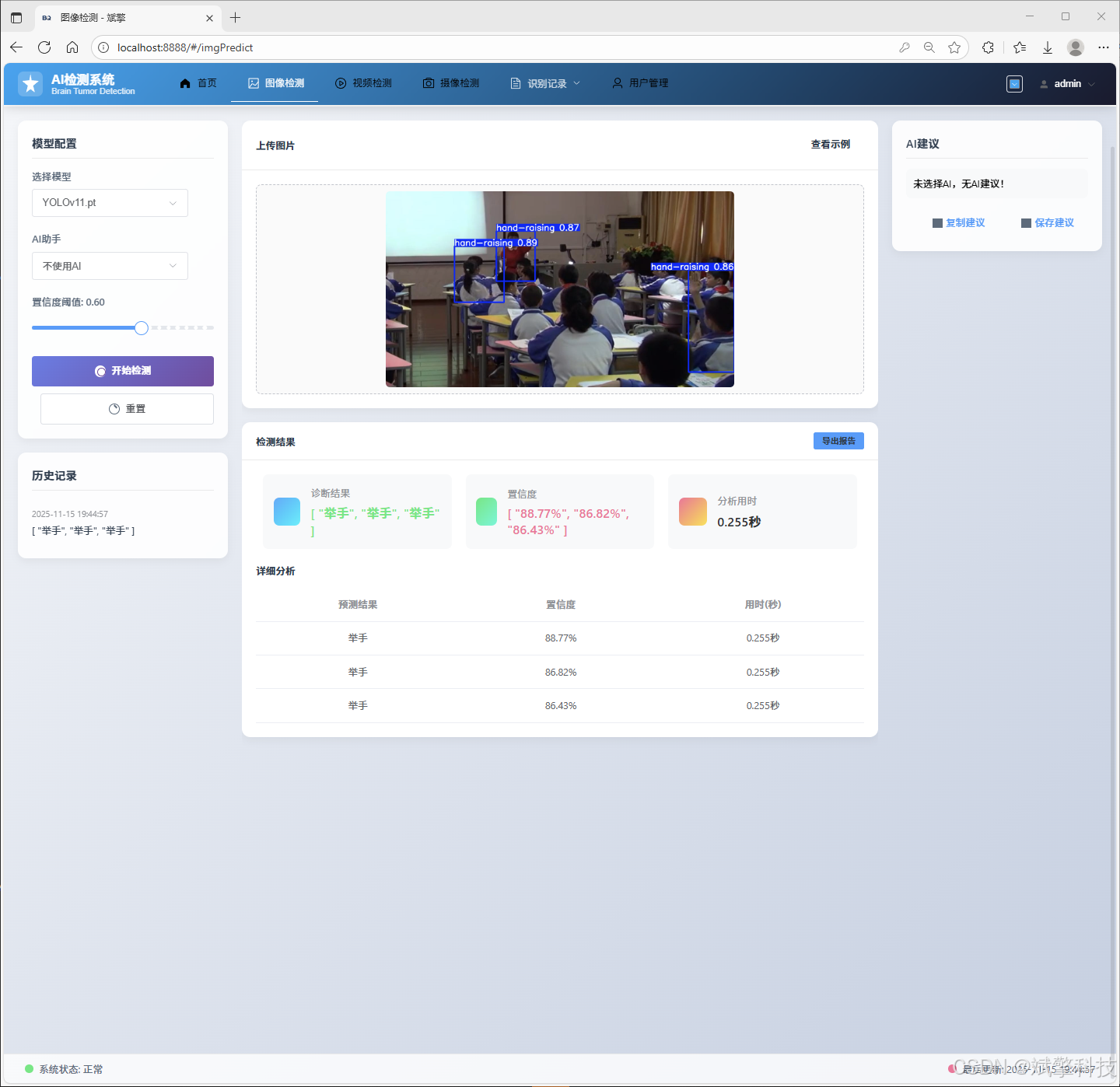
✅ 图片检测支持AI分析功能,deepseek
✅ 支持图像检测、视频检测和摄像头实时检测,检测结果保存到MySQL数据库。
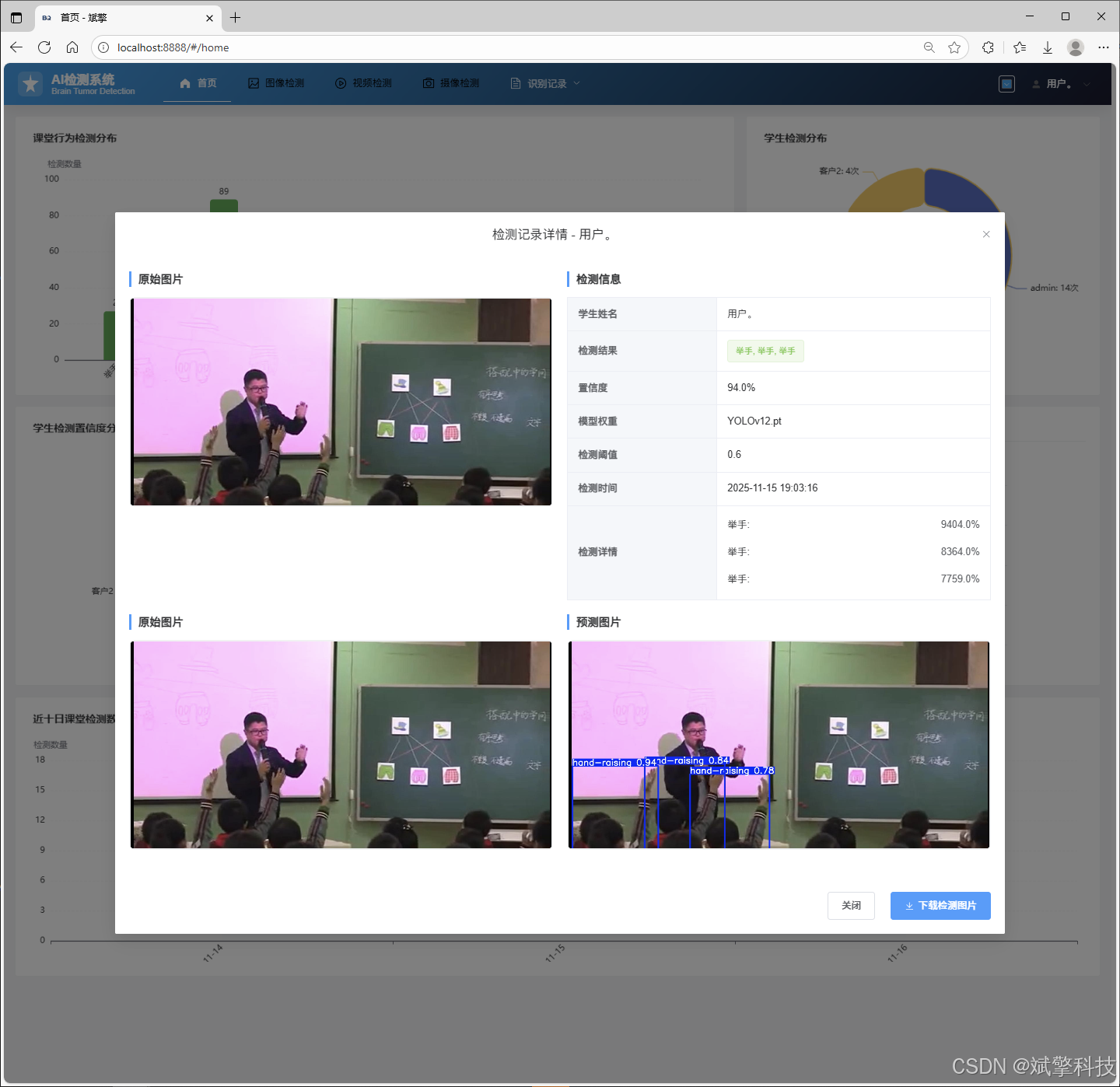
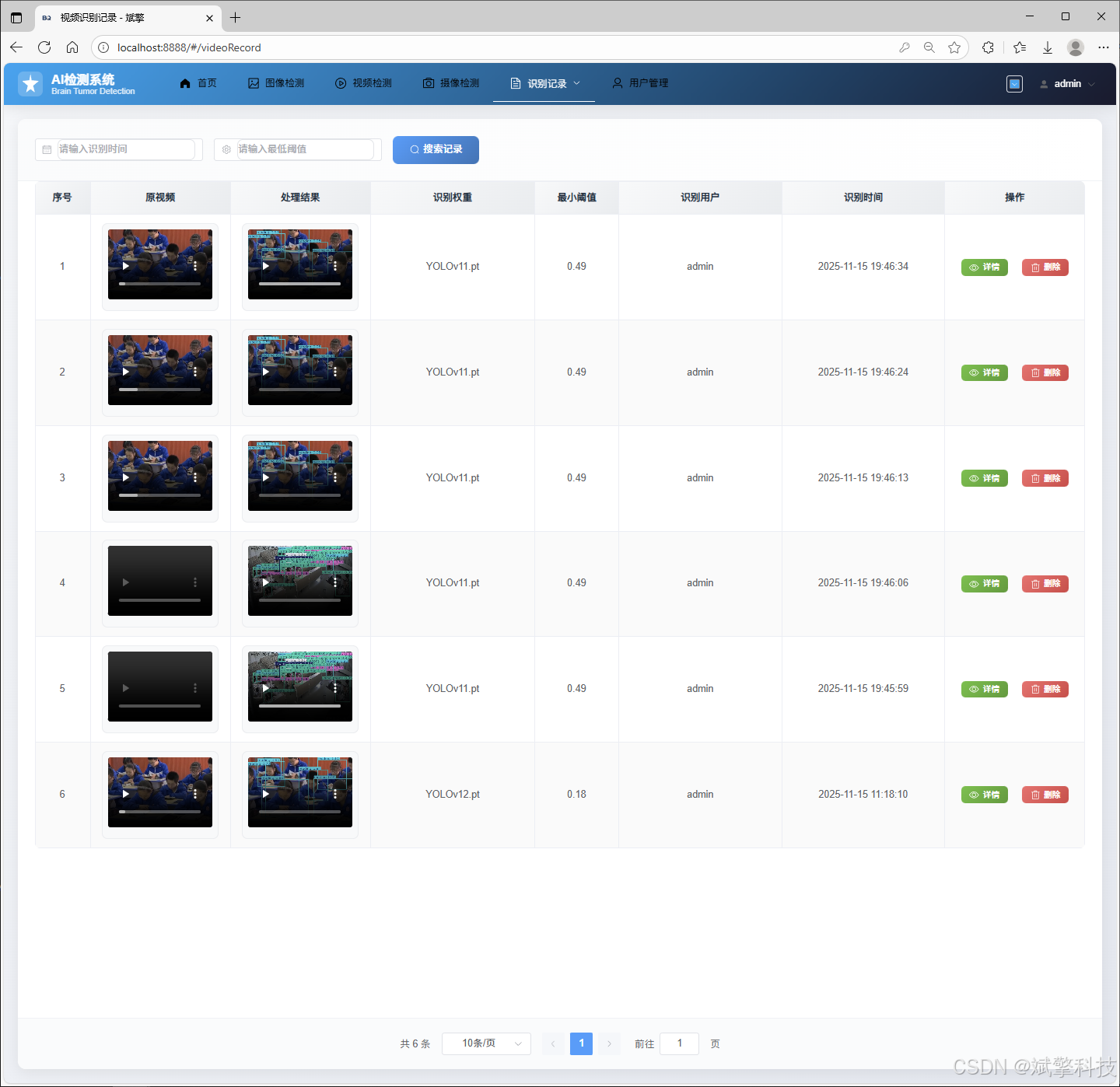
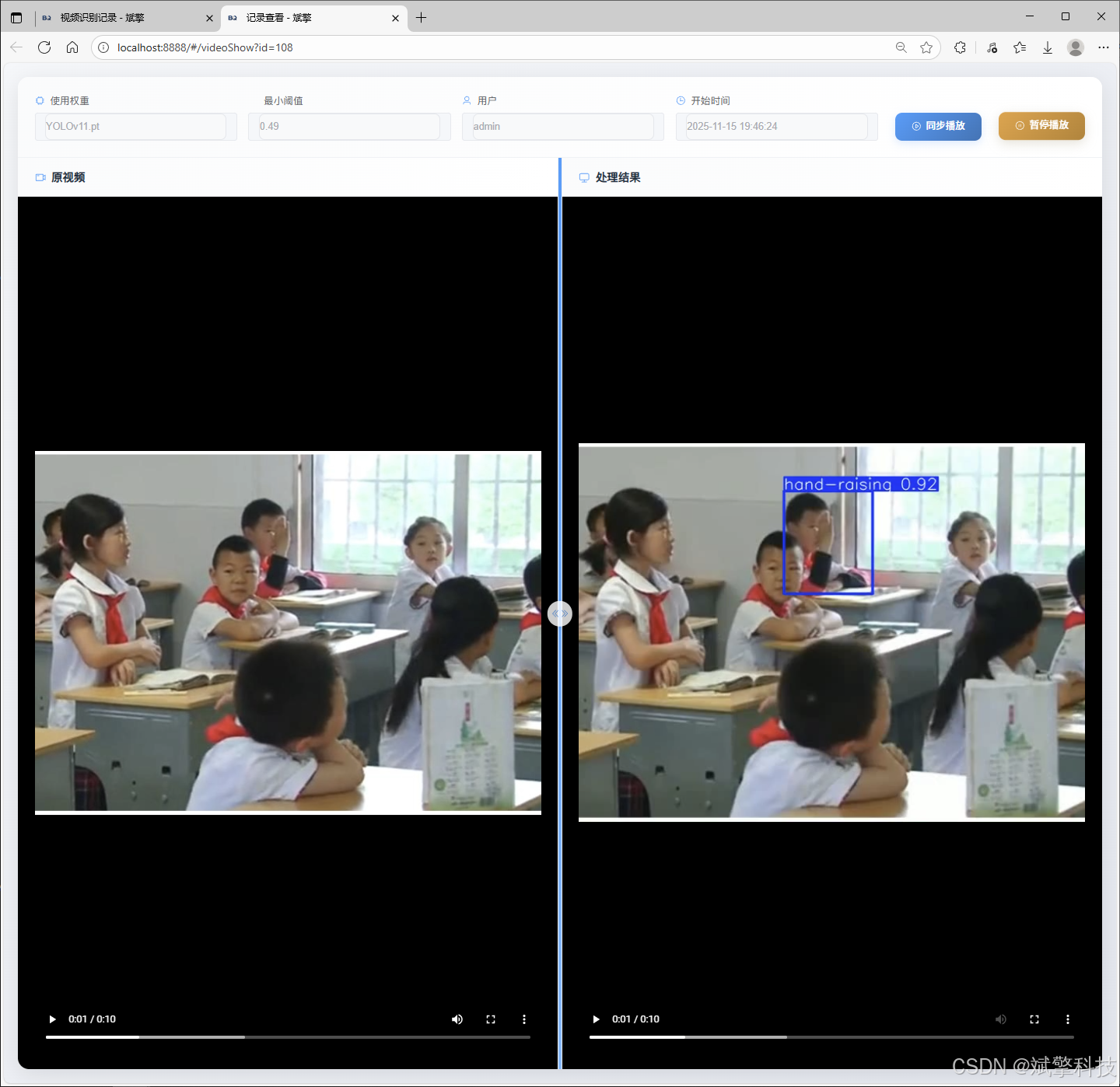
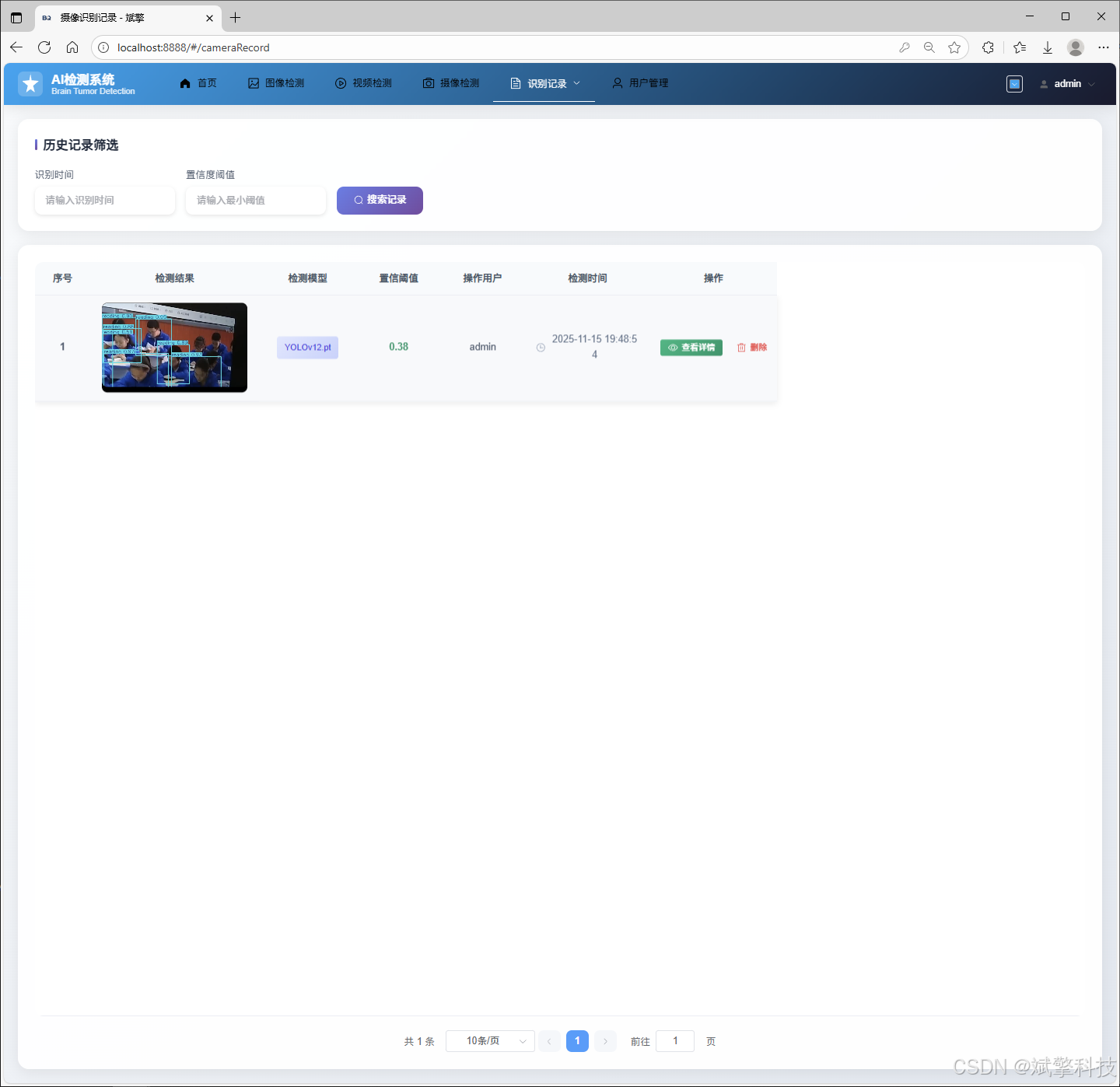
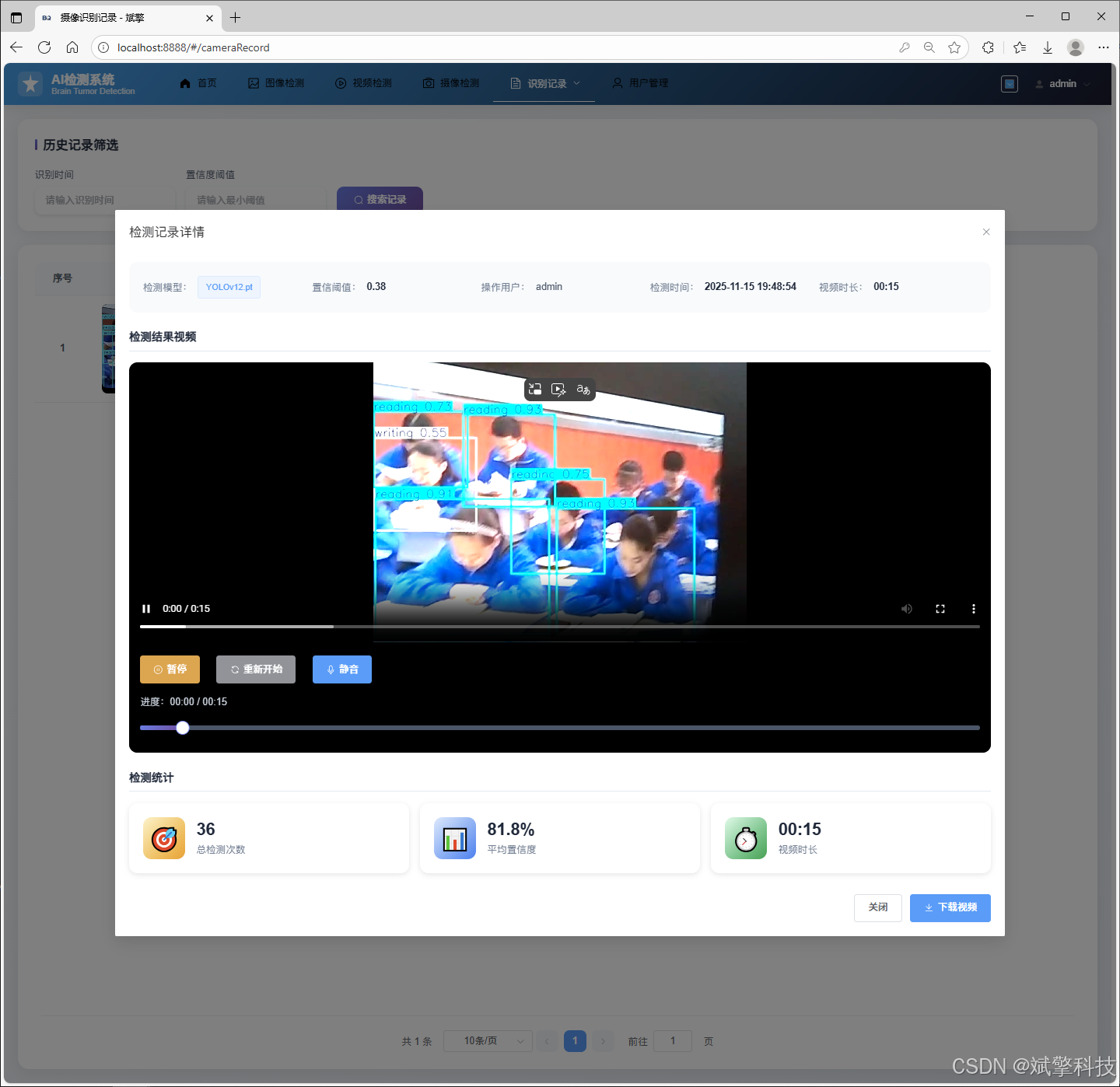
✅ 图片识别记录管理、视频识别记录管理和摄像头识别记录管理。
✅ 用户管理模块,管理员可以对用户进行增删改查。
✅ 个人中心,可以修改自己的信息,密码姓名头像等等。
✅ 支持更换导航栏背景颜色
登录注册模块
可视化模块
更换导航栏背景颜色
图像检测模块
-
YOLO模型集成 (v8/v10/v11/v12)
-
DeepSeek多模态分析
-
支持格式:JPG/PNG/MP4/RTSP
视频检测模块
实时检测模块
图片识别记录管理
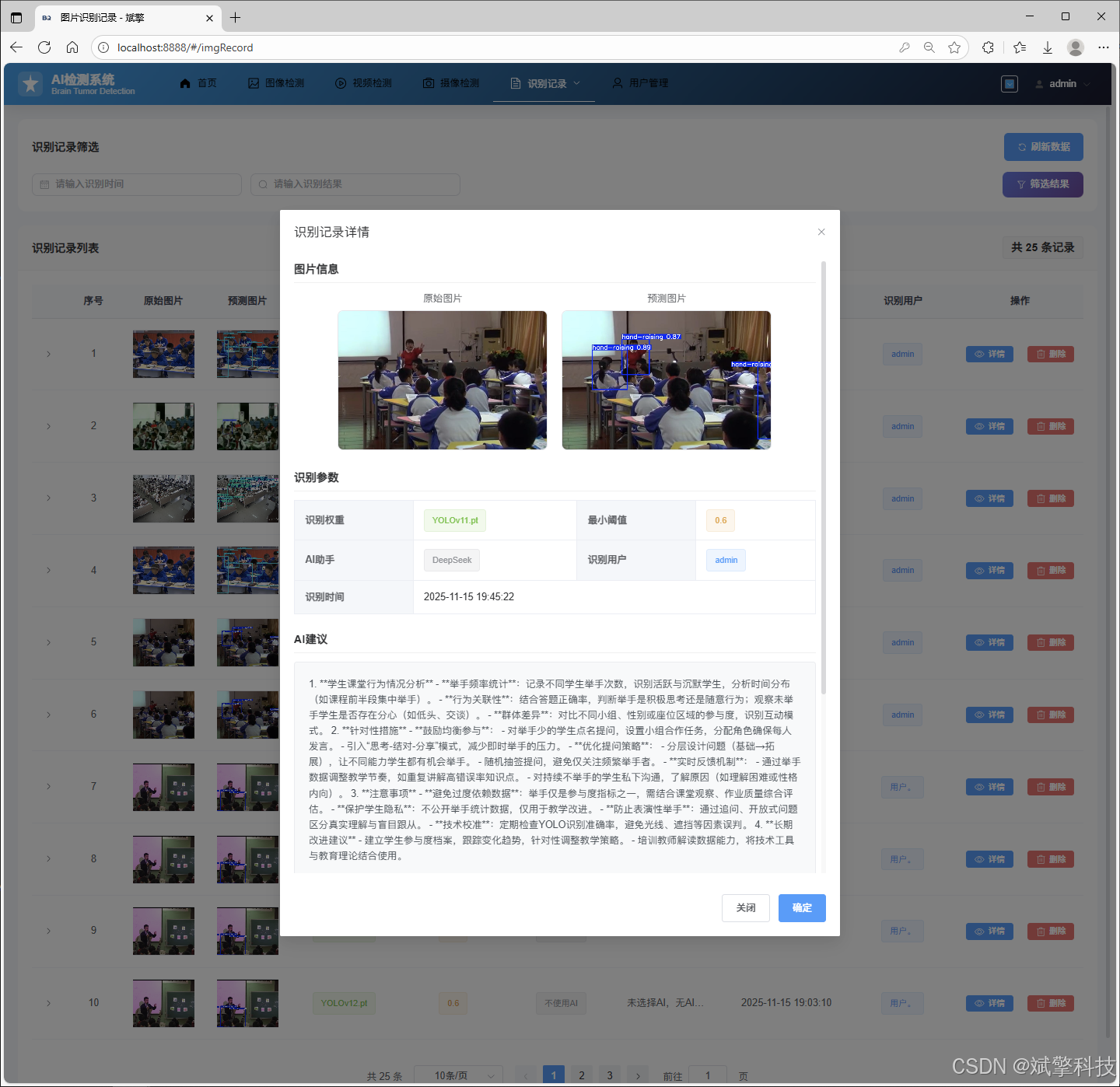
视频识别记录管理
摄像头识别记录管理
用户管理模块
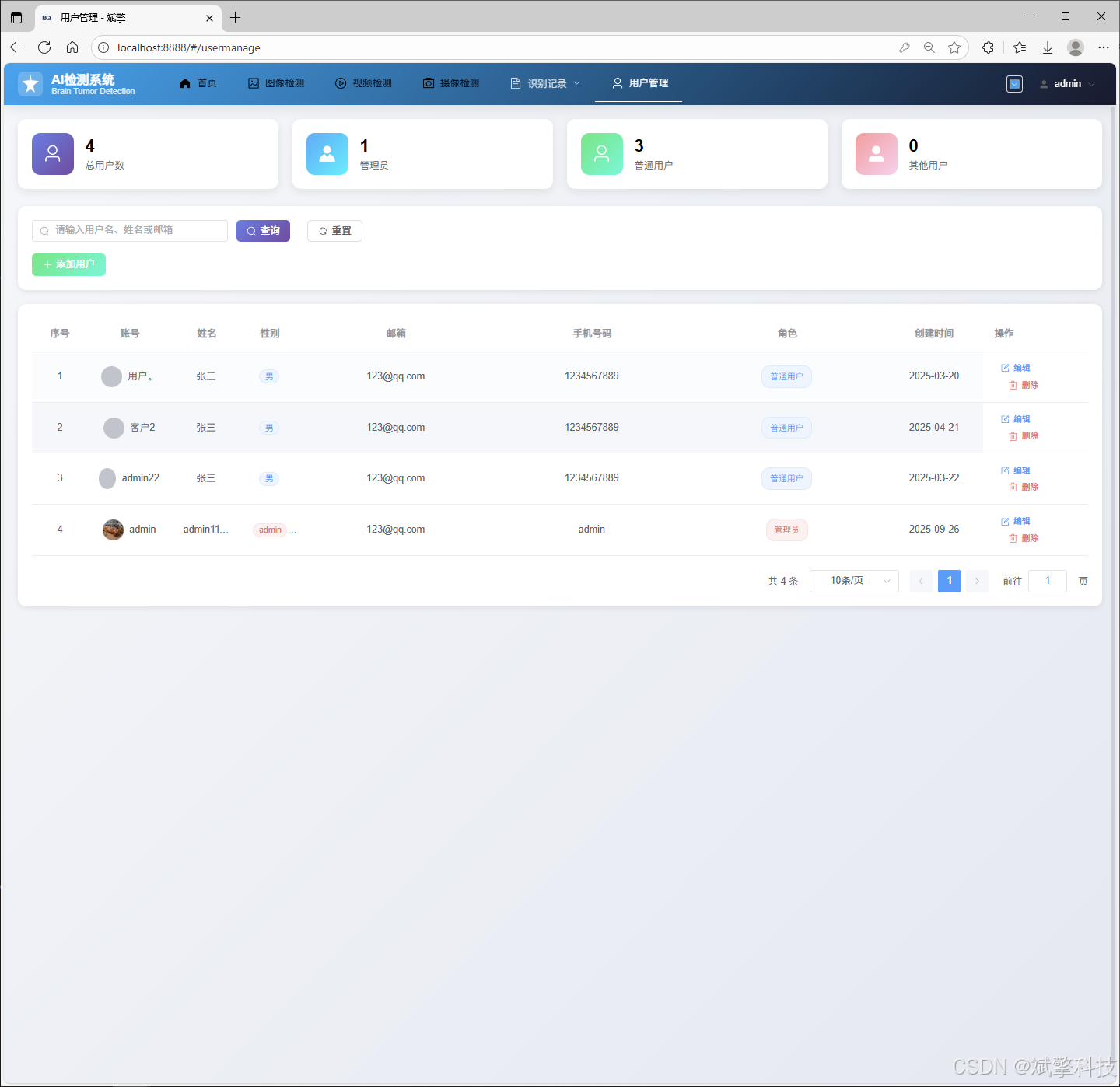
数据管理模块(MySQL表设计)
-
users- 用户信息表

-
imgrecords- 图片检测记录表
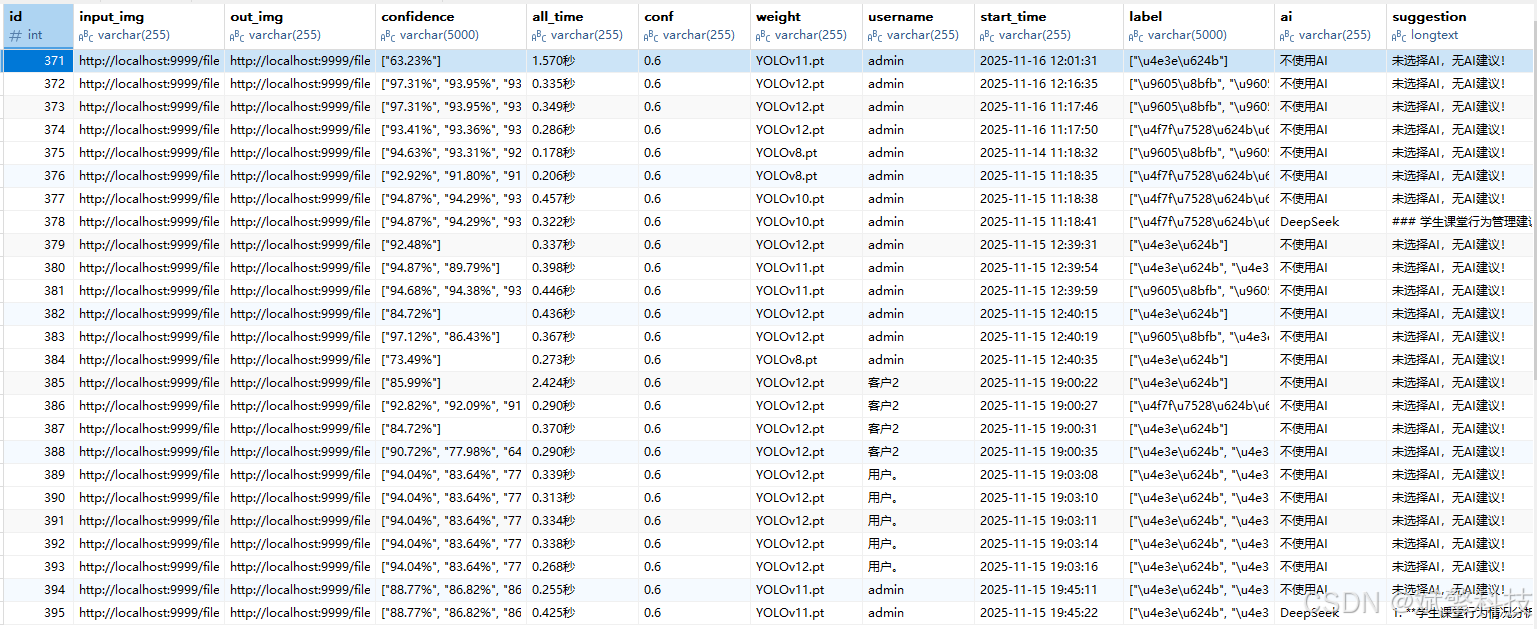
-
videorecords- 视频检测记录表
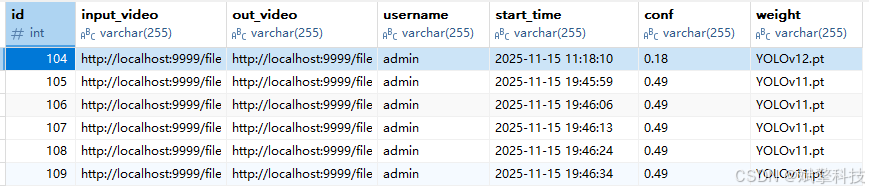
-
camerarecords- 摄像头检测记录表

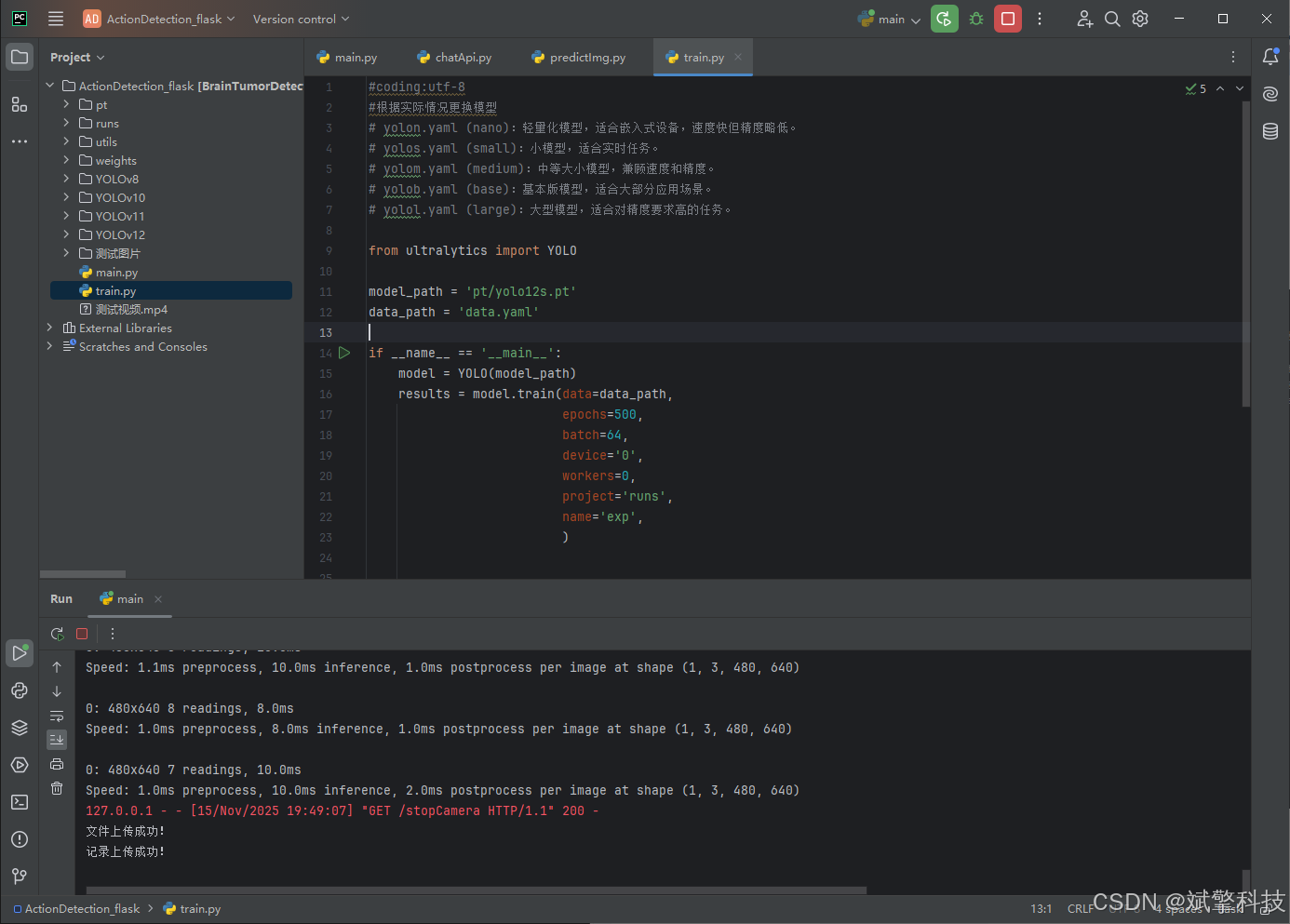
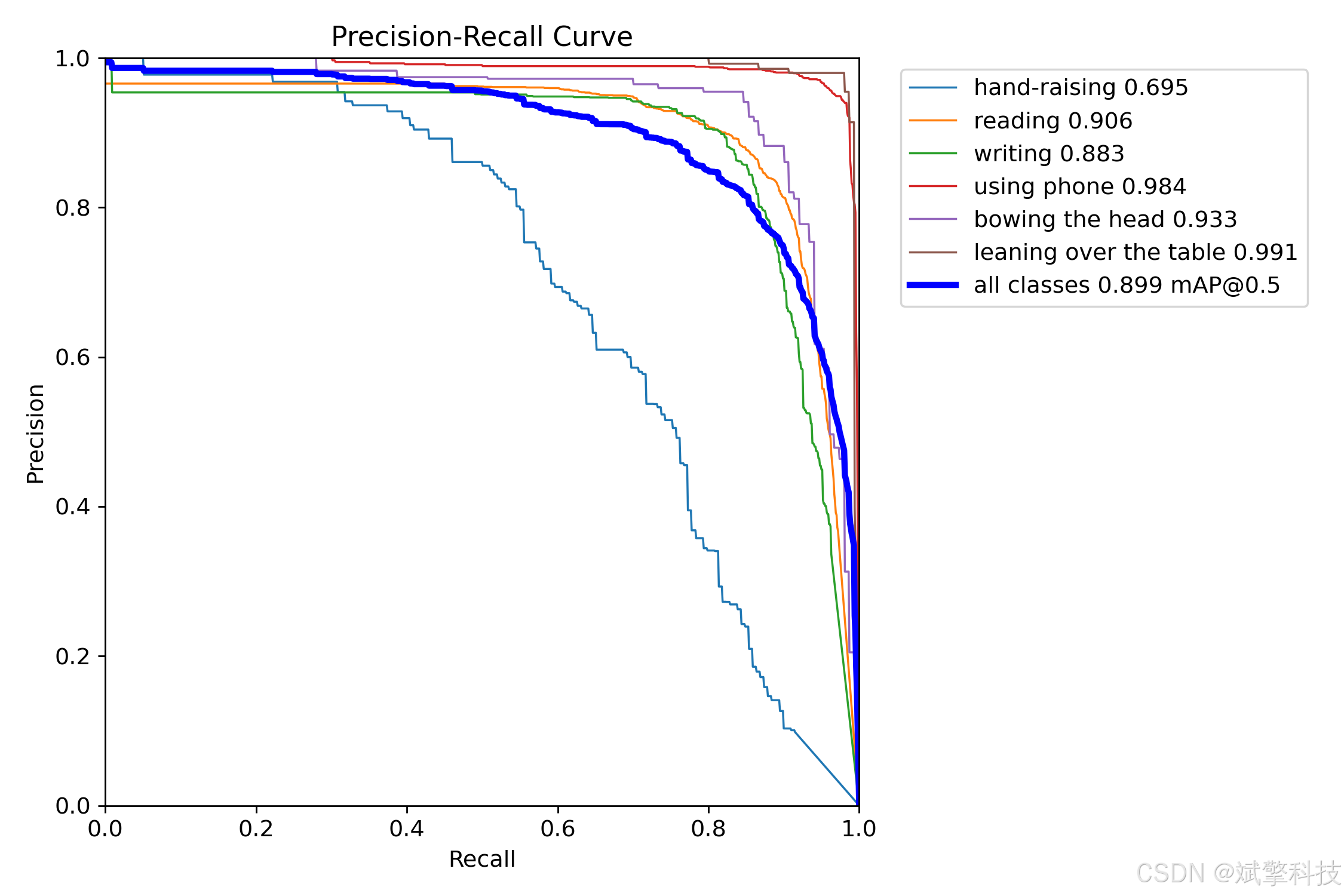
模型训练结果
#coding:utf-8
#根据实际情况更换模型
# yolon.yaml (nano):轻量化模型,适合嵌入式设备,速度快但精度略低。
# yolos.yaml (small):小模型,适合实时任务。
# yolom.yaml (medium):中等大小模型,兼顾速度和精度。
# yolob.yaml (base):基本版模型,适合大部分应用场景。
# yolol.yaml (large):大型模型,适合对精度要求高的任务。

from ultralytics import YOLO

model_path = 'pt/yolo12s.pt'
data_path = 'data.yaml'

if __name__ == '__main__':
    model = YOLO(model_path)
    results = model.train(data=data_path,
                          epochs=500,
                          batch=64,
                          device='0',
                          workers=0,
                          project='runs',
                          name='exp',
                          )
YOLOv8
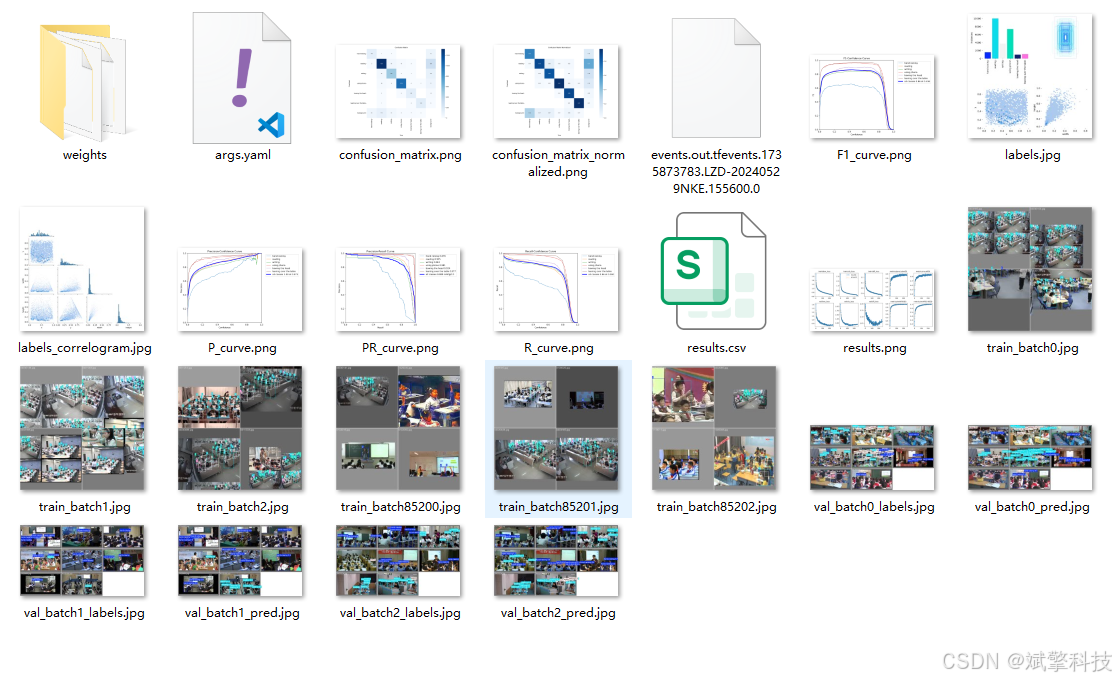
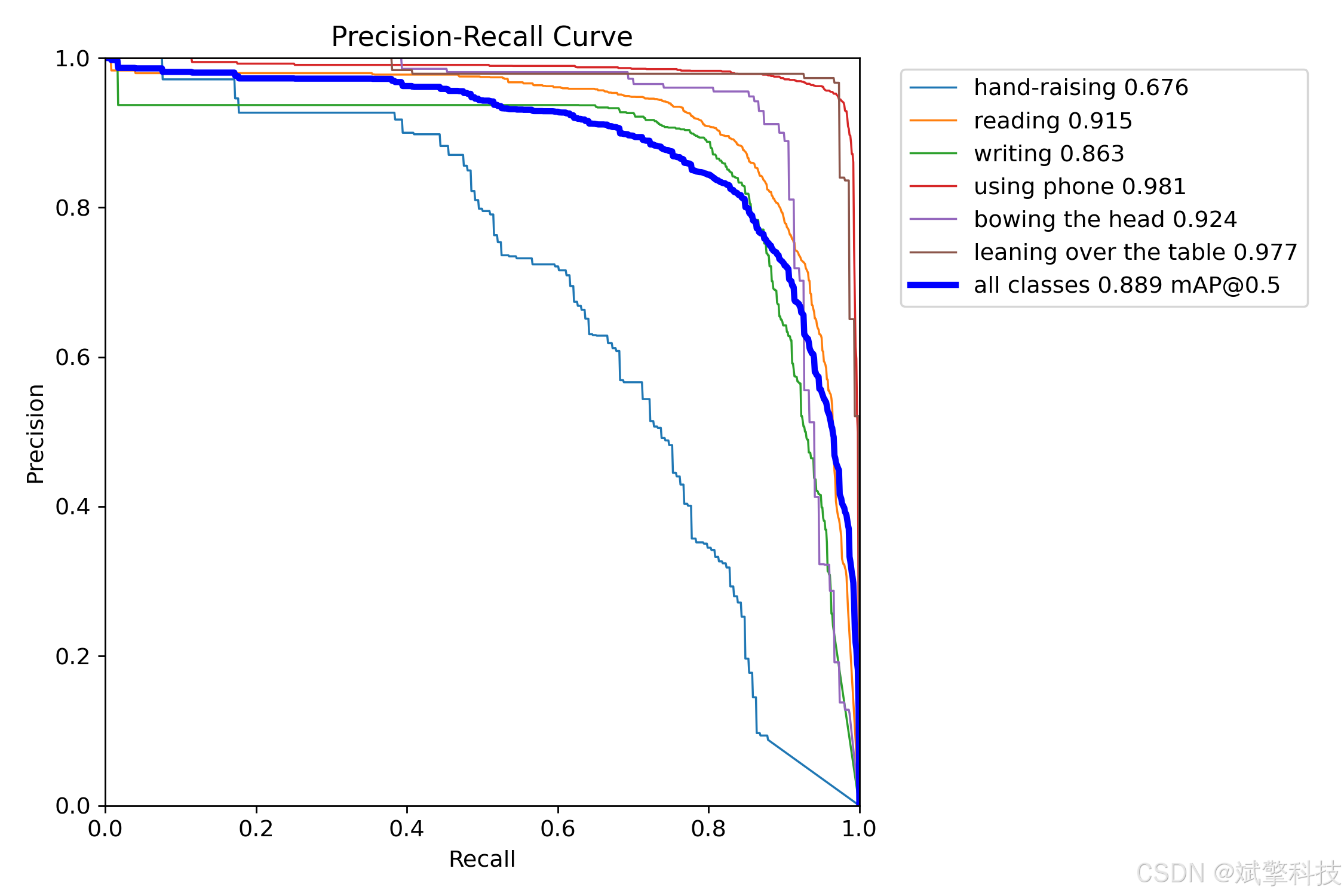
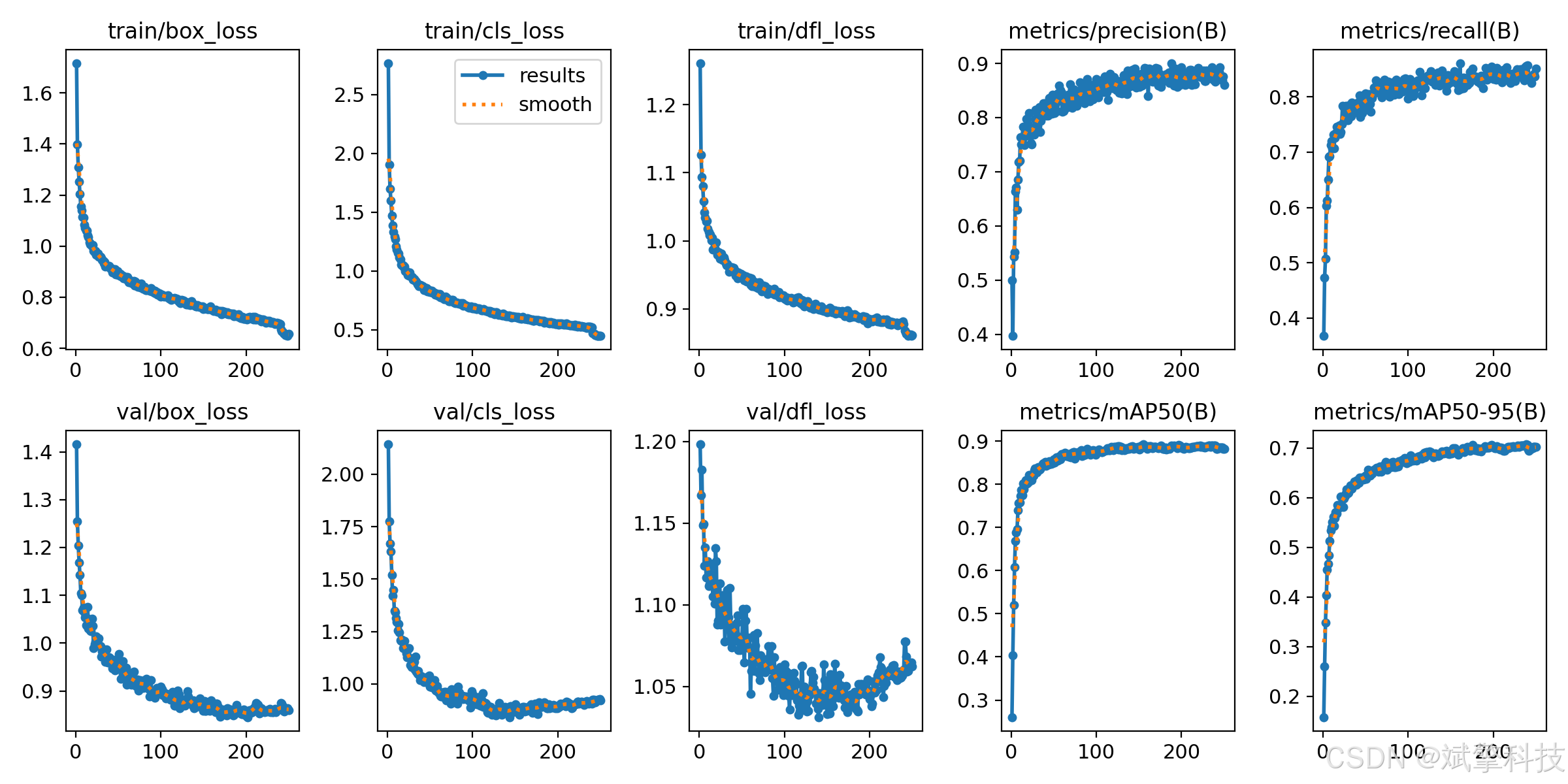
YOLOv10
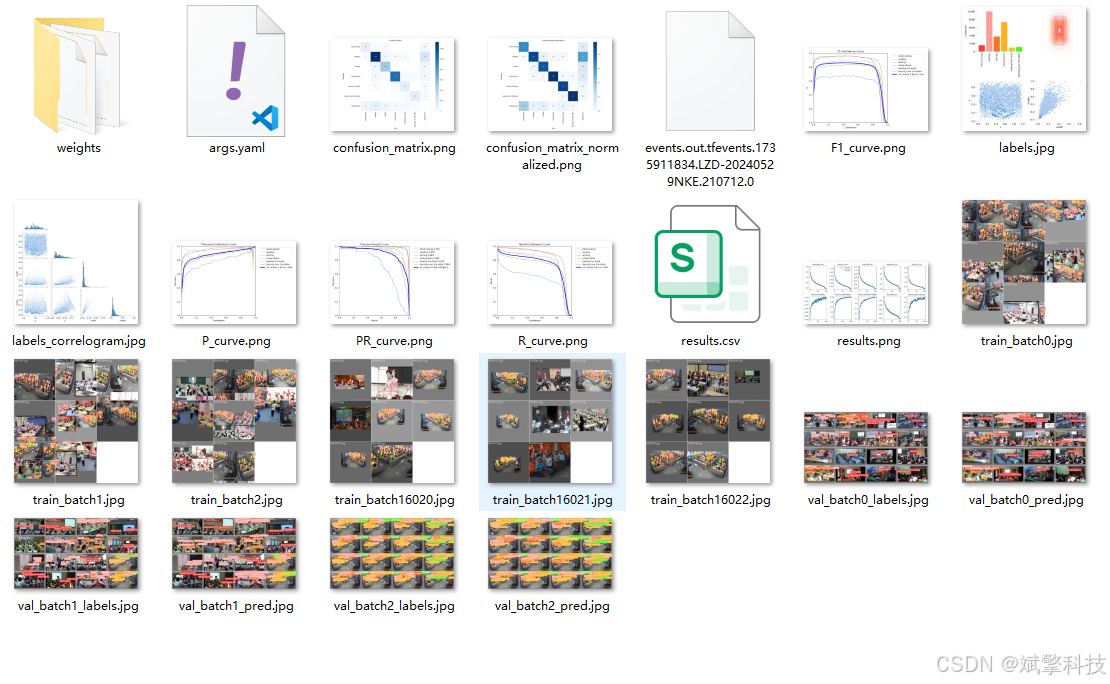
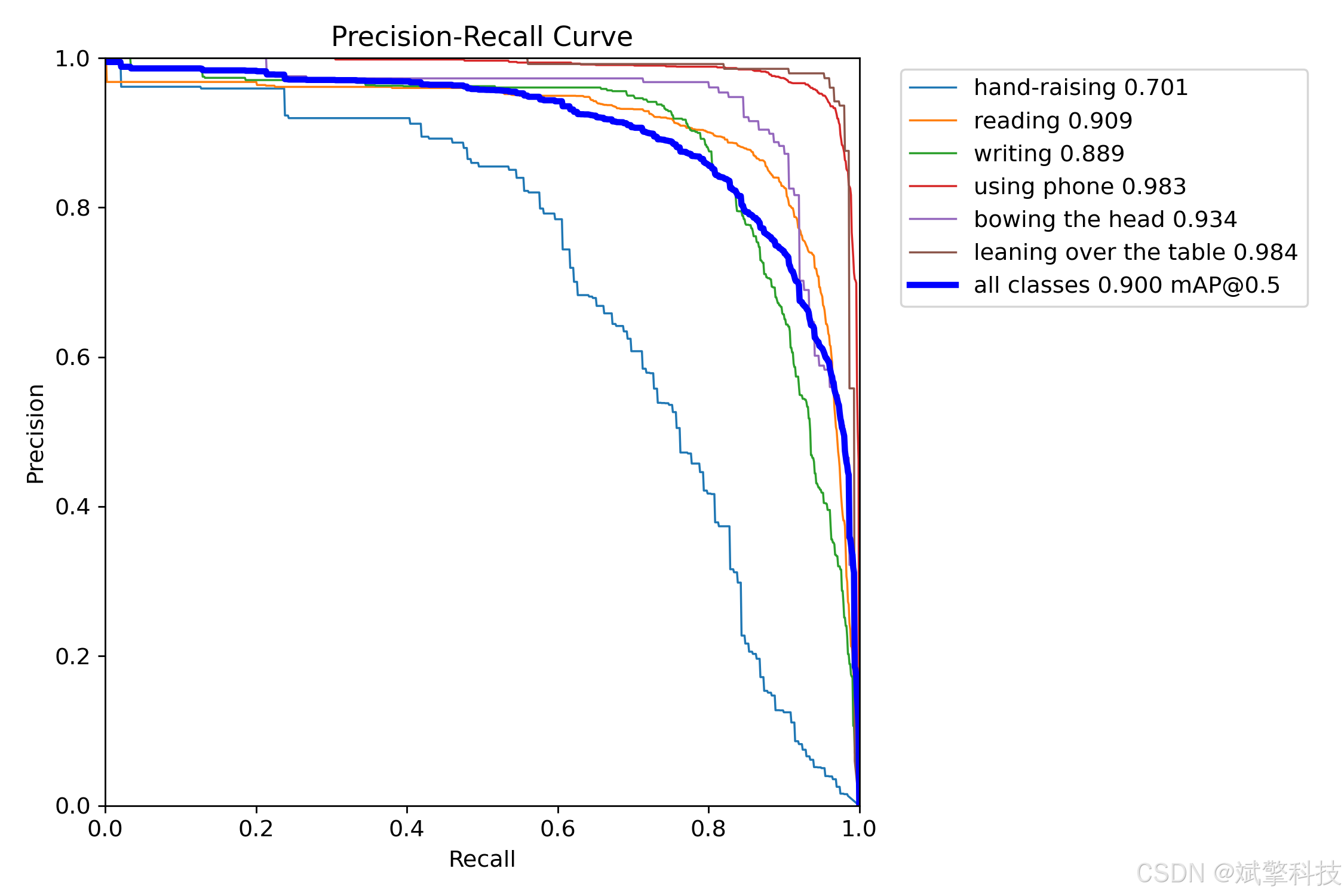
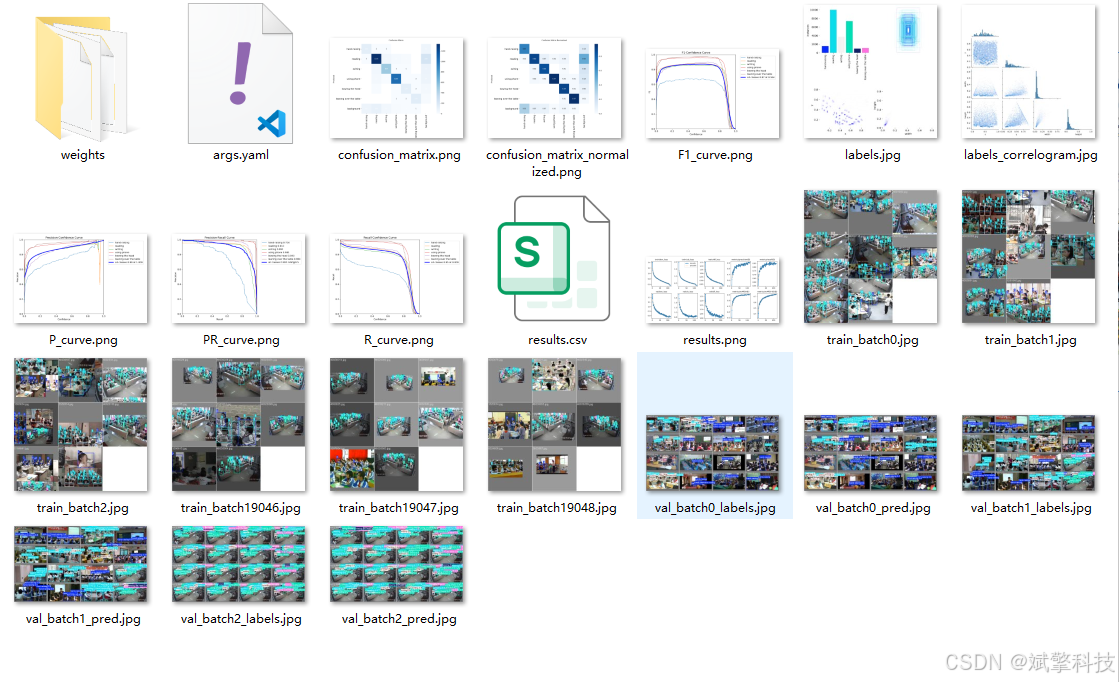
YOLOv11
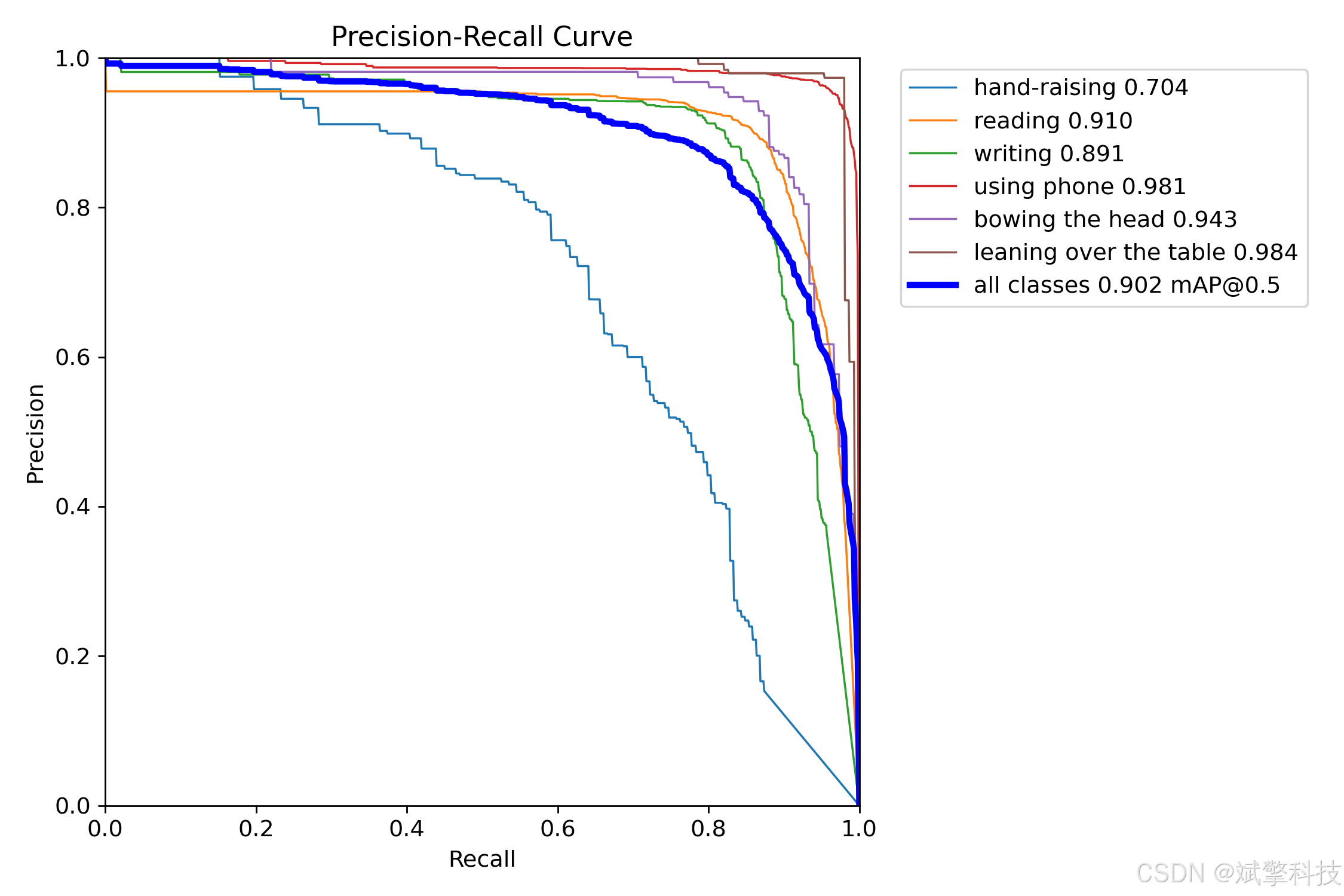
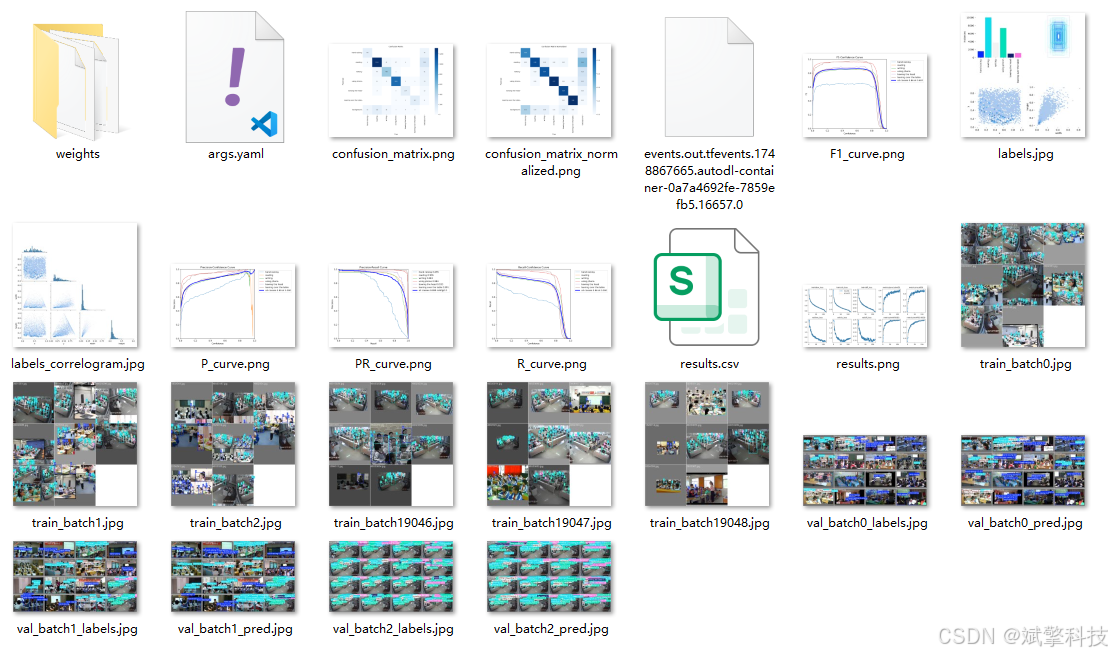
YOLOv12
前端代码展示
<template>
  <div class="navbar-container" :style="navbarStyle">
    <!-- 动态背景粒子效果 -->
    <div class="navbar-bg-particles">
      <div v-for="n in 15" :key="n" class="particle" :style="particleStyle(n)"></div>
    </div>

    <div class="navbar-content">
      <!-- 左侧Logo和系统名称 -->
      <div class="navbar-left">
        <div class="logo-container">
          <div class="logo-icon">
            <svg viewBox="0 0 24 24" fill="none" xmlns="http://www.w3.org/2000/svg">
              <path d="M12 2L13.09 8.26L20 9L14.55 13.47L16.18 20L12 16.77L7.82 20L9.45 13.47L4 9L10.91 8.26L12 2Z" fill="currentColor"/>
            </svg>
          </div>
          <div class="system-name">
            <h2>AI检测系统</h2>
            <p>Brain Tumor Detection</p>
          </div>
        </div>

        <!-- 主要功能菜单 -->
        <div class="main-menu">
          <el-menu
            :default-active="activeMenu"
            mode="horizontal"
            background-color="transparent"
            text-color="rgba(255, 255, 255, 0.8)"
            active-text-color="#ffffff"
            @select="handleMenuSelect"
            class="horizontal-menu"
          >
            <el-menu-item index="/home">
              <el-icon><HomeFilled /></el-icon>
              首页
            </el-menu-item>
            <el-menu-item index="/imgPredict">
              <el-icon><Picture /></el-icon>
              图像检测
            </el-menu-item>
            <el-menu-item index="/videoPredict">
              <el-icon><VideoPlay /></el-icon>
              视频检测
            </el-menu-item>
            <el-menu-item index="/cameraPredict">
              <el-icon><Camera /></el-icon>
              摄像检测
            </el-menu-item>
            <el-sub-menu index="records">
              <template #title>
                <el-icon><Document /></el-icon>
                识别记录
              </template>
              <el-menu-item index="/imgRecord" style="color: #303133;">图片记录</el-menu-item>
              <el-menu-item index="/videoRecord" style="color: #303133;">视频记录</el-menu-item>
              <el-menu-item index="/cameraRecord" style="color: #303133;">摄像记录</el-menu-item>
            </el-sub-menu>
            <el-menu-item v-if="userInfo.role === 'admin'" index="/usermanage">
              <el-icon><User /></el-icon>
              用户管理
            </el-menu-item>
          </el-menu>
        </div>
      </div>

      <!-- 右侧用户信息和功能 -->
      <div class="navbar-right">
        <!-- 背景颜色调节 -->
        <div class="color-picker-container">
          <el-tooltip content="调节背景颜色" placement="bottom">
            <el-color-picker
              v-model="bgColor"
              :predefine="predefineColors"
              @change="onBgColorChange"
              size="small"
            />
          </el-tooltip>
        </div>

        <!-- 用户信息下拉菜单 -->
        <el-dropdown @command="handleCommand" class="user-dropdown">
          <div class="user-info">
            <!-- 添加头像显示 -->
            <div class="user-avatar" v-if="userInfo.avatar">
              <img :src="userInfo.avatar" alt="用户头像" />
            </div>
            <el-icon v-else><UserFilled /></el-icon>
            <span class="user-name">{

     { userInfo.name || userInfo.username }}</span>
            <el-icon><ArrowDown /></el-icon>
          </div>
          <template #dropdown>
            <el-dropdown-menu>
              <el-dropdown-item command="personal">
                <el-icon><User /></el-icon>
                个人中心
              </el-dropdown-item>
              <el-dropdown-item command="settings">
                <el-icon><Setting /></el-icon>
                系统设置
              </el-dropdown-item>
              <el-dropdown-item divided command="logout">
                <el-icon><SwitchButton /></el-icon>
                退出登录
              </el-dropdown-item>
            </el-dropdown-menu>
          </template>
        </el-dropdown>
      </div>
    </div>
  </div>
</template>

<script setup lang="ts">
import { ref, computed, reactive, onMounted, onUnmounted, watch } from 'vue';
import { useRouter, useRoute } from 'vue-router';
import { ElMessage, ElMessageBox } from 'element-plus';
import {
  User,
  Setting,
  SwitchButton,
  ArrowDown,
  HomeFilled,
  Picture,
  VideoPlay,
  Camera,
  Document,
  UserFilled
} from '@element-plus/icons-vue';
import { storeToRefs } from 'pinia';
import { useUserInfo } from '/@/stores/userInfo';
import { Session } from '/@/utils/storage';
import request from '/@/utils/request';

// 定义变量
const router = useRouter();
const route = useRoute();
const stores = useUserInfo();
const { userInfos } = storeToRefs(stores);

// 用户信息
const userInfo = reactive({
  username: '',
  name: '',
  role: '',
  avatar: '' // 添加头像字段
});

// 当前激活菜单
const activeMenu = ref('/home');

// 背景颜色相关 - 修改默认颜色为 #DD098F
const bgColor = ref('#07A6F6');
const predefineColors = ref([
  '#DD098F', // 粉色系
  '#1a1a2e', // 深蓝
  '#16213e',
  '#0f3460',
  '#533483',
  '#1e3a5f',
  '#2c3e50'
]);

// 粒子动画相关
const particles = ref<Array<{x: number, y: number, size: number, speed: number}>>([]);

// 计算导航栏样式 - 修改渐变颜色
const navbarStyle = computed(() => {
  return {
    background: `linear-gradient(135deg, ${bgColor.value} 0%, #1a1a2e 100%)`,
    'box-shadow': '0 4px 20px 0 rgba(0, 0, 0, 0.1)'
  };
});

// 粒子样式
const particleStyle = (index: number) => {
  if (!particles.value[index]) return {};

  const particle = particles.value[index];
  return {
    left: `${particle.x}%`,
    top: `${particle.y}%`,
    width: `${particle.size}px`,
    height: `${particle.size}px`,
    animation: `float ${particle.speed}s infinite ease-in-out`
  };
};

// 初始化粒子
const initParticles = () => {
  for (let i = 0; i < 15; i++) {
    particles.value.push({
      x: Math.random() * 100,
      y: Math.random() * 100,
      size: Math.random() * 3 + 1,
      speed: Math.random() * 10 + 5
    });
  }
};

// 更新粒子位置
const updateParticles = () => {
  particles.value.forEach(particle => {
    particle.y -= 0.05;
    if (particle.y < -10) {
      particle.y = 110;
      particle.x = Math.random() * 100;
    }
  });
};

// 背景颜色变化处理
const onBgColorChange = (color: string) => {
  localStorage.setItem('navbar-bg-color', color);
};

// 菜单选择处理
const handleMenuSelect = (index: string) => {
  router.push(index);
};

// 下拉菜单命令处理
const handleCommand = (command: string) => {
  switch (command) {
    case 'personal':
      router.push('/personal');
      break;
    case 'settings':
      ElMessage.info('系统设置功能开发中');
      break;
    case 'logout':
      handleLogout();
      break;
  }
};

// 退出登录处理
const handleLogout = () => {
  ElMessageBox.confirm('确定要退出登录吗?', '提示', {
    confirmButtonText: '确定',
    cancelButtonText: '取消',
    type: 'warning',
  }).then(() => {
    // 清除登录信息
    Session.clear();
    localStorage.removeItem('token');
    localStorage.removeItem('navbar-bg-color');

    // 重置用户信息
    Object.assign(userInfo, {
      username: '',
      name: '',
      role: '',
      avatar: ''
    });

    // 跳转到登录页
    router.push('/login');

    ElMessage.success('已成功退出登录');
  }).catch(() => {
    // 用户取消操作
  });
};

// 获取用户信息 - 简化版本,直接从store获取
const fetchUserInfo = async () => {
  try {
    // 从store获取基础信息
    userInfo.username = userInfos.value.userName;

    if (!userInfo.username) {
      console.warn('用户名不存在,无法获取用户信息');
      return;
    }

    // 直接从store获取用户信息,假设store中已经包含了完整的用户信息
    if (userInfos.value.name) {
      userInfo.name = userInfos.value.name;
    } else {
      userInfo.name = userInfo.username;
    }

    // 角色处理
    if (userInfos.value.role) {
      userInfo.role = userInfos.value.role;
    } else {
      userInfo.role = 'user';
    }

    // 头像处理 - 从store获取头像信息
    if (userInfos.value.avatar) {
      userInfo.avatar = userInfos.value.avatar;
    } else {
      // 如果没有头像,可以设置一个默认头像或者留空
      userInfo.avatar = '';
    }

    console.log('导航栏获取用户信息成功:', {
      name: userInfo.name,
      role: userInfo.role,
      avatar: userInfo.avatar
    });

  } catch (error) {
    console.error('获取用户信息失败:', error);
    // 使用默认信息
    userInfo.name = userInfo.username;
    userInfo.role = 'user';
    userInfo.avatar = '';
  }
};

// 监听用户信息变化,当个人中心更新头像后同步更新导航栏
watch(() => stores.userInfos, (newUserInfo) => {
  if (newUserInfo.userName && newUserInfo.userName !== userInfo.username) {
    fetchUserInfo();
  }
  // 同时监听头像变化
  if (newUserInfo.avatar !== userInfo.avatar) {
    userInfo.avatar = newUserInfo.avatar;
  }
}, { deep: true });

// 更新激活菜单
const updateActiveMenu = () => {
  activeMenu.value = route.path;
};

// 动画帧ID
let animationFrameId: number;

// 页面加载时
onMounted(() => {
  // 从本地存储获取背景颜色
  const savedColor = localStorage.getItem('navbar-bg-color');
  if (savedColor) {
    bgColor.value = savedColor;
  }

  // 初始化粒子
  initParticles();

  // 启动粒子动画
  const animate = () => {
    updateParticles();
    animationFrameId = requestAnimationFrame(animate);
  };
  animate();

  // 获取用户信息
  fetchUserInfo();

  // 设置当前激活菜单
  updateActiveMenu();

  // 监听路由变化
  router.afterEach(updateActiveMenu);
});

// 页面卸载时
onUnmounted(() => {
  if (animationFrameId) {
    cancelAnimationFrame(animationFrameId);
  }
});
</script>

<style scoped lang="scss">
.navbar-container {
  position: relative;
  height: 60px;
  width: 100%;
  overflow: hidden;
  z-index: 100;

  .navbar-bg-particles {
    position: absolute;
    top: 0;
    left: 0;
    width: 100%;
    height: 100%;
    pointer-events: none;

    .particle {
      position: absolute;
      background: rgba(255, 255, 255, 0.1);
      border-radius: 50%;
      opacity: 0.6;
    }
  }

  .navbar-content {
    position: relative;
    z-index: 2;
    display: flex;
    justify-content: space-between;
    align-items: center;
    height: 100%;
    padding: 0 20px;
    backdrop-filter: blur(10px);

    .navbar-left {
      display: flex;
      align-items: center;
      flex: 1;

      .logo-container {
        display: flex;
        align-items: center;
        margin-right: 40px;

        .logo-icon {
          width: 36px;
          height: 36px;
          margin-right: 12px;
          color: #ffffff; // 修改为白色,在粉色背景下更显眼
          display: flex;
          align-items: center;
          justify-content: center;
          background: rgba(255, 255, 255, 0.2); // 调整背景透明度
          border-radius: 8px;
          backdrop-filter: blur(5px);
        }

        .system-name {
          h2 {
            font-size: 18px;
            font-weight: 600;
            color: white;
            margin: 0;
            line-height: 1.2;
          }

          p {
            font-size: 12px;
            color: rgba(255, 255, 255, 0.8); // 提高副标题可见度
            margin: 0;
            line-height: 1;
          }
        }
      }

      .main-menu {
        flex: 1;

        .horizontal-menu {
          border: none;
          background: transparent;

          :deep(.el-menu-item) {
            height: 60px;
            line-height: 60px;
            border-bottom: 2px solid transparent;
            transition: all 0.3s ease;

            &:hover {
              background: rgba(255, 255, 255, 0.15);
              border-bottom-color: rgba(255, 255, 255, 0.4);
            }

            &.is-active {
              background: rgba(255, 255, 255, 0.2);
              border-bottom-color: #ffffff; // 修改激活状态边框为白色
            }
          }

          :deep(.el-sub-menu) {
            .el-sub-menu__title {
              height: 60px;
              line-height: 60px;
              border-bottom: 2px solid transparent;
              transition: all 0.3s ease;

              &:hover {
                background: rgba(255, 255, 255, 0.15);
                border-bottom-color: rgba(255, 255, 255, 0.4);
              }
            }

            &.is-active .el-sub-menu__title {
              border-bottom-color: #ffffff; // 修改激活状态边框为白色
            }
          }
        }
      }
    }

    .navbar-right {
      display: flex;
      align-items: center;
      gap: 15px;

      .color-picker-container {
        display: flex;
        align-items: center;
      }

      .user-dropdown {
        cursor: pointer;

        .user-info {
          display: flex;
          align-items: center;
          gap: 8px;
          padding: 4px 8px;
          border-radius: 8px;
          transition: all 0.3s ease;

          &:hover {
            background: rgba(255, 255, 255, 0.15);
          }

          // 添加头像样式
          .user-avatar {
            width: 32px;
            height: 32px;
            border-radius: 50%;
            overflow: hidden;
            border: 2px solid rgba(255, 255, 255, 0.4); // 增强边框可见度
            background: rgba(255, 255, 255, 0.2);
            display: flex;
            align-items: center;
            justify-content: center;

            img {
              width: 100%;
              height: 100%;
              object-fit: cover;
            }
          }

          .user-name {
            color: white;
            font-size: 14px;
          }
        }
      }
    }
  }
}

@keyframes float {
  0%, 100% {
    transform: translateY(0) translateX(0);
  }
  50% {
    transform: translateY(-10px) translateX(5px);
  }
}

// 响应式设计
@media (max-width: 1200px) {
  .navbar-container {
    .navbar-content {
      .navbar-left {
        .main-menu {
          :deep(.el-menu--horizontal) {
            .el-menu-item,
            .el-sub-menu .el-sub-menu__title {
              span:not(.el-icon) {
                display: none;
              }

              .el-icon {
                margin-right: 0;
              }
            }
          }
        }
      }
    }
  }
}

@media (max-width: 768px) {
  .navbar-container {
    height: auto;
    min-height: 60px;

    .navbar-content {
      flex-direction: column;
      padding: 10px;

      .navbar-left {
        width: 100%;
        justify-content: space-between;
        margin-bottom: 10px;

        .logo-container {
          margin-right: 20px;

          .system-name {
            h2 {
              font-size: 16px;
            }

            p {
              display: none;
            }
          }
        }

        .main-menu {
          flex: none;
        }
      }

      .navbar-right {
        width: 100%;
        justify-content: flex-end;

        .user-dropdown {
          .user-info {
            .user-name {
              display: none;
            }

            // 移动端头像调整
            .user-avatar {
              width: 28px;
              height: 28px;
            }
          }
        }
      }
    }
  }
}
</style>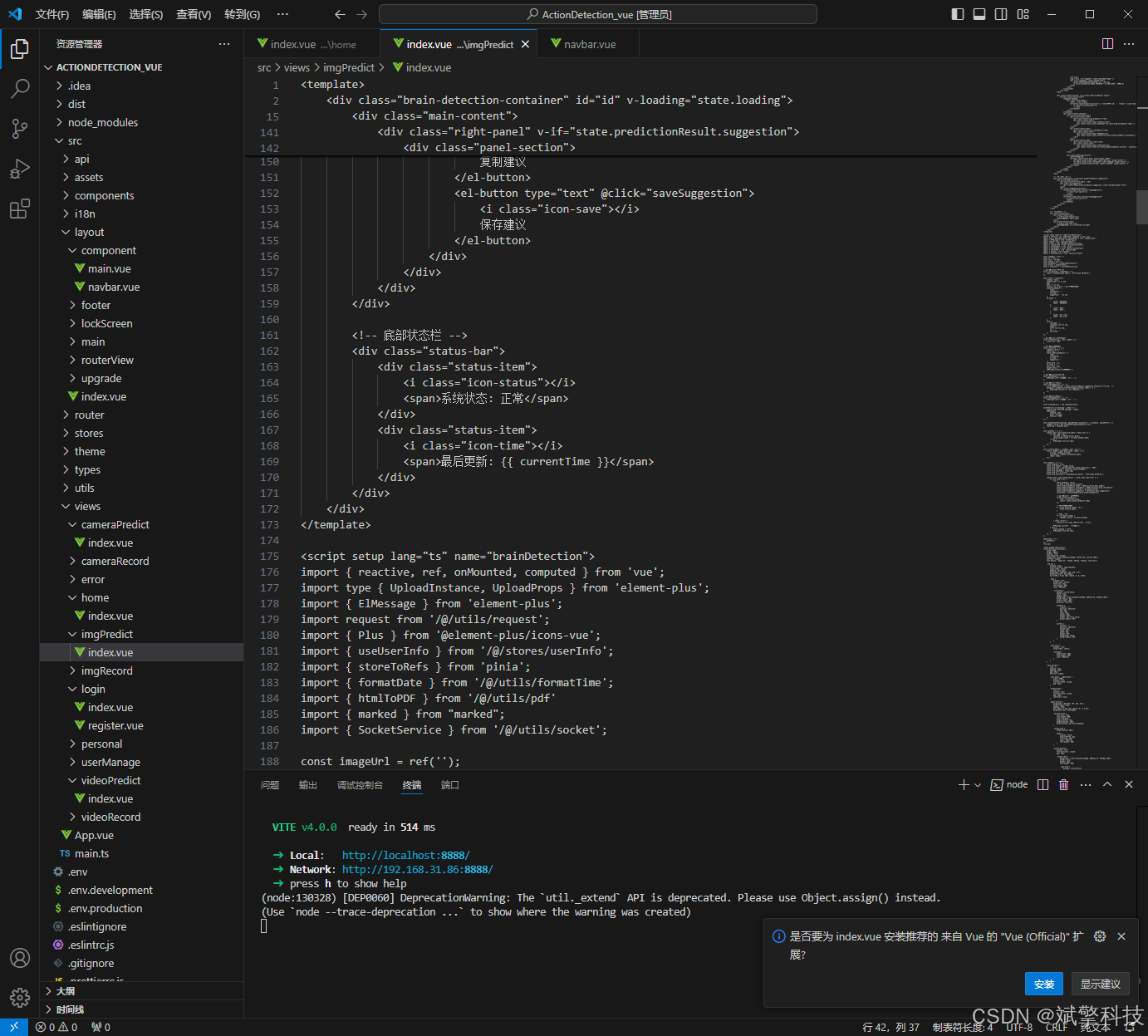
部分代码
后端代码展示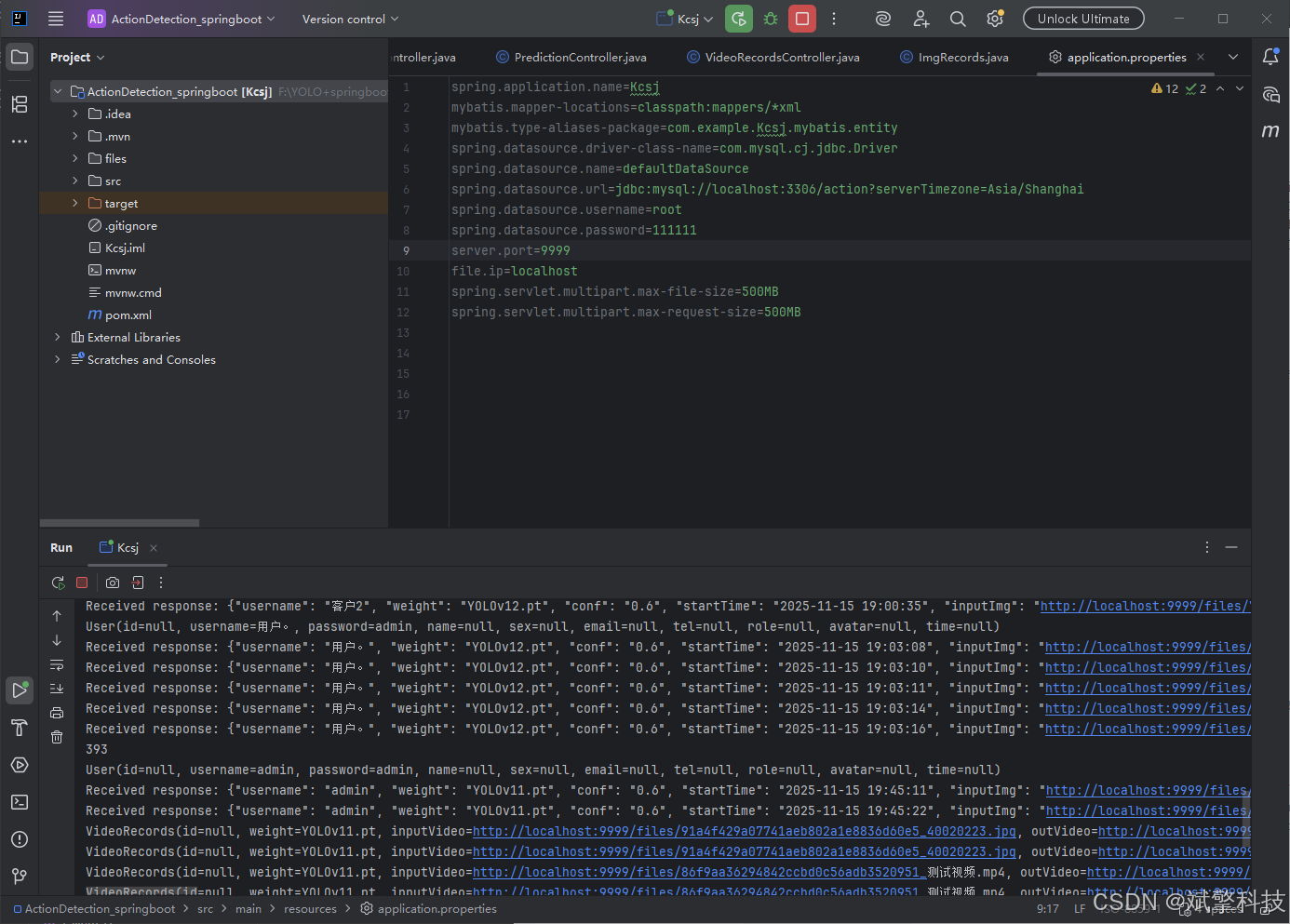
总结
本系统是一个技术栈先进、功能全面、设计人性化的学生课堂行为识别解决方案。它成功地将顶尖的YOLO目标检测算法与现代化的Web开发技术相结合,并通过引入DeepSeek智能分析和丰富的数据可视化手段,为教育分析提供了强大的工具。该系统不仅具有很高的学术研究价值,更在智慧课堂、在线教育、教学督导等实际应用场景中具备广阔的落地前景。
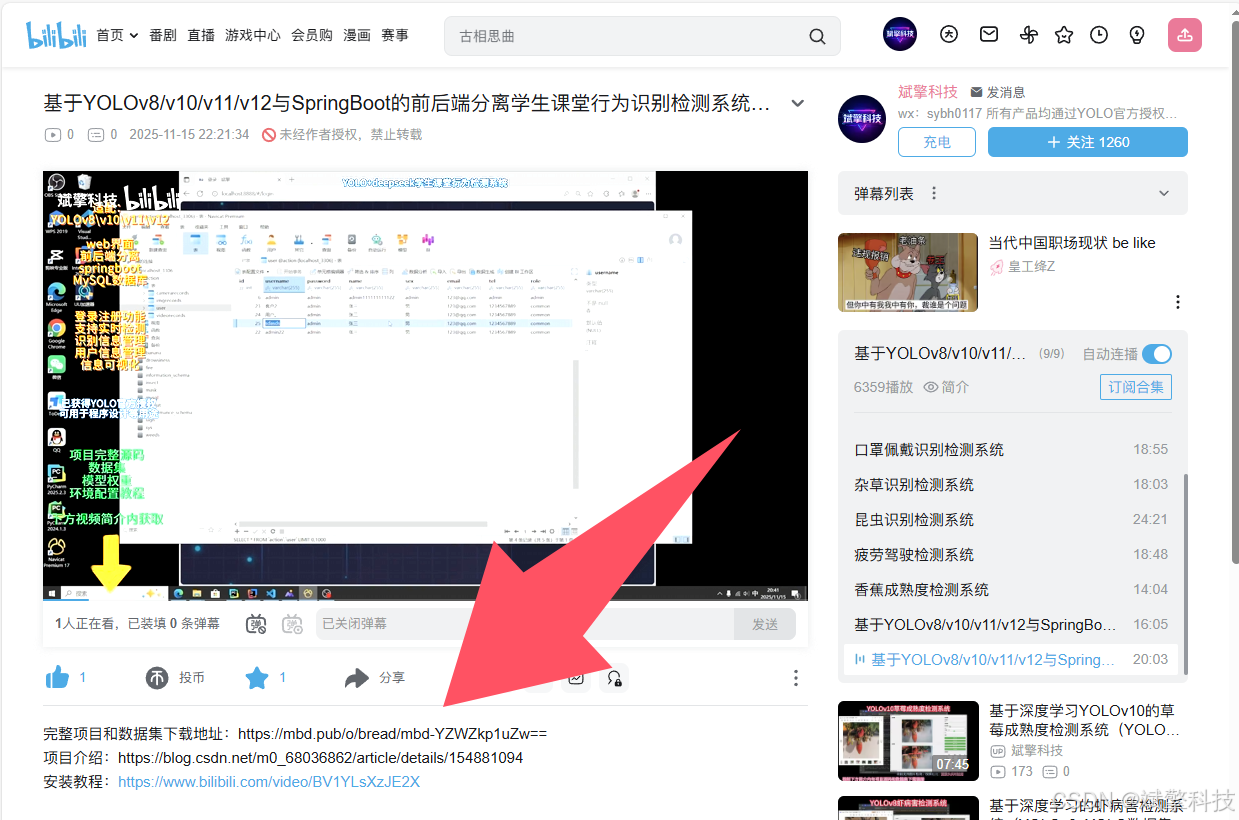
项目源码+数据集下载链接
完整代码在哔哩哔哩视频下方简介内获取:
基于YOLOv8/v10/v11/v12与SpringBoot的前后端分离学生课堂行为识别检测系统(DeepSeek智能分析+web交互界面)_哔哩哔哩_bilibili
https://www.bilibili.com/video/BV1RMCmBeEpm
项目安装教程
https://www.bilibili.com/video/BV1YLsXzJE2X/?spm_id_from=333.1387.homepage.video_card.click