wx.request
一、概述
wx.request()是腾讯公司封装好的一个request请求的函数,类似于其他程序语言的自带函数,开发者只需把这些内置函数复制过来使用即可,无须注意函数底层代码实现部分。
RequestTask wx.request(Object object)
data参数说明:
最终发送给服务器的数据是 String 类型,如果传入的 data 不是 String 类型,会被转换成 String 。转换规则如下:
- 对于 GET 方法的数据,会将数据转换成
query string(encodeURIComponent(k)=encodeURIComponent(v)&encodeURIComponent(k)=encodeURIComponent(v)...) - 对于 POST 方法且
header['content-type']为application/json的数据,会对数据进行 JSON 序列化 - 对于 POST 方法且
header['content-type']为application/x-www-form-urlencoded的数据,会将数据转换成query string (encodeURIComponent(k)=encodeURIComponent(v)&encodeURIComponent(k)=encodeURIComponent(v)...)
useHighPerformanceMode 高性能模式说明
在该模式下,框架将会采用全新的网络请求模块,默认支持 HTTP3,可以提升小程序的网络请求性能。有以下注意事项:
- 除声明了 enableChunked 后会走 HTTP1 以外,均会自动开启 HTTP2/HTTP3 等优化能力,enableQuic、enableHttp2 参数将会强制开启。建议开发者在后台服务也开启对应能力以获得更好的效果。
- 暂仅支持 Android,iOS/PC 端设置该参数后会使用原 request 模块。iOS 会在后续支持该参数。
- 暂不支持 HttpDNS 能力。
- 开启 enableProfile 后,返回的 profile 字段部分信息缺失,会被缺省值代替。缺失部分包括 redirectStart、redirectEnd、rtt、estimate_nettype、httpRttEstimate、transportRttEstimate、downstreamThroughputKbpsEstimate、throughputKbps、peerIP、port。
示例代码:
wx.request({


  url: 'example.php', //仅为示例,并非真实的接口地址
  data: {


    x: '',
    y: ''
  },
  header: {


    'content-type': 'application/json' // 默认值
  },
  success (res) {


    console.log(res.data)
  }
})
二、参数详解
2.1、属性
wx.request参数为Object类型,属性如下表:
| 属性 | 类型 | 默认值 | 必填 | 说明 |
|---|---|---|---|---|
url |
string | 是 | 开发者服务器接口地址 | |
data |
string/object/ArrayBuffer | 否 | 请求的参数 | |
header |
Object | 否 | 设置请求的 header,header 中不能设置 Referer。content-type 默认为 application/json |
|
timeout |
number | 否 | 超时时间,单位为毫秒。默认值为 60000 |
|
method |
string | GET | 否 | HTTP 请求方法,可选值如下:OPTIONSGETHEADPOSTPUTDELETETRACECONNECT |
dataType |
string | json | 否 | 返回的数据格式。值为 json 时,返回的数据为 JSON,返回后会对返回的数据进行一次 JSON.parse;其他值则不对返回的内容进行 JSON.parse |
responseType |
string | text | 否 | 响应的数据类型,可选值如下:text:响应的数据为文本arraybuffer:响应的数据为 ArrayBuffer |
useHighPerformanceMode |
boolean | true | 否 | 使用高性能模式。从基础库 v3.5.0 开始在 Android 端默认开启,其他端暂不生效。该模式下有更优的网络性能表现,更多信息请查看下方说明。 |
enableHttp2 |
boolean | false | 否 | 开启 http2 |
enableProfile |
boolean | true | 否 | 是否开启 profile。iOS 和 Android 端默认开启,其他端暂不支持。开启后可在接口回调的 res.profile 中查看性能调试信息。 |
enableQuic |
boolean | false | 否 | 是否开启 Quic/h3 协议(iOS 微信目前使用 gQUIC-Q43;Android 微信在 v8.0.54 前使用 gQUIC-Q43,v8.0.54 开始使用 IETF QUIC,即 h3 协议;PC微信使用 IETF QUIC,即 h3 协议) |
enableCache |
boolean | false | 否 | 开启 Http 缓存 |
enableHttpDNS |
boolean | false | 否 是否开启 HttpDNS 服务。如开启,需要同时填入 httpDNSServiceId 。 HttpDNS 用法详见 移动解析HttpDNS | |
httpDNSServiceId |
string | 否 | HttpDNS 服务商 Id。 HttpDNS 用法详见 移动解析HttpDNS | |
httpDNSTimeout |
number | 60000 | 否 | HttpDNS 超时时间。HttpDNS解析时间超过该值时不再走HttpDNS,本次请求将回退到localDNS。默认为 60000 毫秒。 HttpDNS 用法详见 移动解析HttpDNS |
enableChunked |
boolean | false | 否 | 开启 transfer-encoding chunked。 |
forceCellularNetwork |
boolean | false | 否 | 强制使用蜂窝网络发送请求 |
redirect |
string | follow | 否 | 重定向拦截策略。(目前安卓、iOS、开发者工具已支持,PC端将在后续支持),可选值如下:follow:不拦截重定向,即客户端自动处理重定向manual:拦截重定向。开启后,当 http 状态码为 3xx 时客户端不再自动重定向,而是触发 onHeadersReceived 回调,并结束本次 request 请求。可通过 onHeadersReceived 回调中的 header.Location 获取重定向的 url |
success |
function | 否 | 接口调用成功的回调函数 | |
fail |
function | 否 | 接口调用失败的回调函数 | |
complete |
function | 否 | 接口调用结束的回调函数(调用成功、失败都会执行) |
2.2、success回调函数
接口调用成功的回调函数,参数为Object类型,属性如下:
| 属性 | 类型 | 说明 |
|---|---|---|
data |
string/Object/Arraybuffer | 开发者服务器返回的数据 |
statusCode |
number | 开发者服务器返回的 HTTP 状态码 |
header |
Object | 开发者服务器返回的 HTTP Response Header |
cookies |
Array.<string> | 开发者服务器返回的 cookies,格式为字符串数组 |
profile |
Object | 网络请求过程中一些调试信息,查看详细说明。目前仅 iOS 和 Android 端支持,其他端暂不支持。 |
exception |
Object | 网络请求过程中的一些异常信息,例如httpdns超时等 |
useHttpDNS |
boolean | 最终请求是否使用了HttpDNS解析的IP。仅当enableHttpDNS传true时返回此字段。如果开启enableHttpDNS但最终请求未使用HttpDNS解析的IP,可在exception查看原因。 |
其中profile属性如下表:
| 结构属性 | 类型 | 说明 |
|---|---|---|
| invokeStart | number | 调用接口的时间。 |
| httpDNSDomainLookUpStart | number | httpDNS 开始查询的时间。仅当开启 httpDNS 功能时返回该字段。目前仅wx.request接口支持 |
| httpDNSDomainLookUpEnd | number | httpDNS 完成查询的时间。仅当开启 httpDNS 功能时返回该字段。目前仅wx.request接口支持 |
| queueStart | number | 开始排队的时间。达到并行上限时才需要排队。 |
| queueEnd | number | 结束排队的时间。达到并行上限时才需要排队。如果未发生排队,则该字段和 queueStart 字段值相同 |
| redirectStart | number | 第一个 HTTP 重定向发生时的时间。有跳转且是同域名内的重定向才算,否则值为 0 |
| redirectEnd | number | 最后一个 HTTP 重定向完成时的时间。有跳转且是同域名内部的重定向才算,否则值为 0 |
| fetchStart | number | 组件准备好使用 HTTP 请求抓取资源的时间,这发生在检查本地缓存之前 |
| domainLookUpStart | number | Local DNS 域名查询开始的时间,如果使用了本地缓存(即无 DNS 查询)或持久连接,则与 fetchStart 值相等 |
| domainLookUpEnd | number | Local DNS 域名查询完成的时间,如果使用了本地缓存(即无 DNS 查询)或持久连接,则与 fetchStart 值相等 |
| connectStart | number | HTTP(TCP) 开始建立连接的时间,如果是持久连接,则与 fetchStart 值相等。注意如果在传输层发生了错误且重新建立连接,则这里显示的是新建立的连接开始的时间 |
| connectEnd | number | HTTP(TCP) 完成建立连接的时间(完成握手),如果是持久连接,则与 fetchStart 值相等。注意如果在传输层发生了错误且重新建立连接,则这里显示的是新建立的连接完成的时间。注意这里握手结束,包括安全连接建立完成、SOCKS 授权通过 |
| SSLconnectionStart | number | SSL建立连接的时间,如果不是安全连接,则值为 0 |
| SSLconnectionEnd | number | SSL建立完成的时间,如果不是安全连接,则值为 0 |
| requestStart | number | HTTP请求读取真实文档开始的时间(完成建立连接),包括从本地读取缓存。连接错误重连时,这里显示的也是新建立连接的时间 |
| requestEnd | number | HTTP请求读取真实文档结束的时间 |
| responseStart | number | HTTP 开始接收响应的时间(获取到第一个字节),包括从本地读取缓存 |
| responseEnd | number | HTTP 响应全部接收完成的时间(获取到最后一个字节),包括从本地读取缓存 |
| rtt | number | 当次请求连接过程中实时 rtt |
| estimate_nettype | number | 评估的网络状态 unknown, offline, slow 2g, 2g, 3g, 4g, last/0, 1, 2, 3, 4, 5, 6 |
| httpRttEstimate | number | 协议层根据多个请求评估当前网络的 rtt(仅供参考) |
| transportRttEstimate | number | 传输层根据多个请求评估的当前网络的 rtt(仅供参考) |
| downstreamThroughputKbpsEstimate | number | 评估当前网络下载的kbps |
| throughputKbps | number | 当前网络的实际下载kbps |
| peerIP | string | 当前请求的IP |
| port | number | 当前请求的端口 |
| socketReused | boolean | 是否复用连接 |
| sendBytesCount | number | 发送的字节数 |
| receivedBytedCount | number | 收到字节数 |
| protocol | string | 使用协议类型,有效值:http1.1, h2, quic, unknown |
| usingHighPerformanceMode | boolean | 是否走到了高性能模式。基础库 v3.3.4 起支持。 |
其中profile属性如下表:
| 结构属性 | 类型 | 说明 |
|---|---|---|
| retryCount | number | 本次请求底层重试次数 |
| reasons | Array.<Object> | 本次请求底层失败信息,所有失败信息均符合Errno错误码errMsg string 错误原因errno string 错误码 |
2.3、fail回调函数
接口调用失败的回调函数,参数为Object类型,属性如下:
| 属性 | 类型 | 说明 |
|---|---|---|
| errMsg | String | 错误信息 |
| errno | Number | errno 错误码,错误码的详细说明参考 Errno错误码 |
| exception | Object | 网络请求过程中的一些异常信息,例如httpdns超时等 |
其中exception属性如下表:
| 结构属性 | 类型 | 说明 |
|---|---|---|
| retryCount | number | 本次请求底层重试次数 |
| reasons | Array.<Object> | 本次请求底层失败信息,所有失败信息均符合Errno错误码errMsg string 错误原因errno string 错误码 |
三、返回值RequestTask
3.1、RequestTask.abort()
中断请求任务:
const requestTask = wx.request({


  url: 'test.php', //仅为示例,并非真实的接口地址
  data: {


    x: '' ,
    y: ''
  },
  header: {


    'content-type': 'application/json'
  },
  success (res) {


    console.log(res.data)
  }
})
requestTask.abort() // 取消请求任务
3.2、RequestTask.offChunkReceived(function listener)
移除 Transfer-Encoding Chunk Received 事件的监听函数:
参数:function listener
onChunkReceived 传入的监听函数。不传此参数则移除所有监听函数。
const listener = function (res) {

       console.log(res) }

RequestTask.onChunkReceived(listener)
RequestTask.offChunkReceived(listener) // 需传入与监听时同一个的函数对象
3.3、RequestTask.offHeadersReceived(function listener)
移除 HTTP Response Header 事件的监听函数
参数:function listener
onHeadersReceived 传入的监听函数。不传此参数则移除所有监听函数。
const listener = function (res) {

       console.log(res) }

RequestTask.onHeadersReceived(listener)
RequestTask.offHeadersReceived(listener) // 需传入与监听时同一个的函数对象
3.4、RequestTask.onChunkReceived(function listener)
监听 Transfer-Encoding Chunk Received 事件。当接收到新的chunk时触发。
参数:function listener
Transfer-Encoding Chunk Received 事件的监听函数
3.5、RequestTask.onHeadersReceived(function listener)
监听 HTTP Response Header 事件。会比请求完成事件更早
参数:function listener
HTTP Response Header 事件的监听函数
| 属性 | 类型 | 说明 |
|---|---|---|
| header | Object | 开发者服务器返回的 HTTP Response Header |
| statusCode | Number | 开发者服务器返回的 HTTP 状态码 (目前开发者工具上不会返回 statusCode 字段,可用真机查看该字段,后续将会支持) |
| cookies | Array.<string> | 开发者服务器返回的 cookies,格式为字符串数组 |
四、示例
4.1、新闻列表页
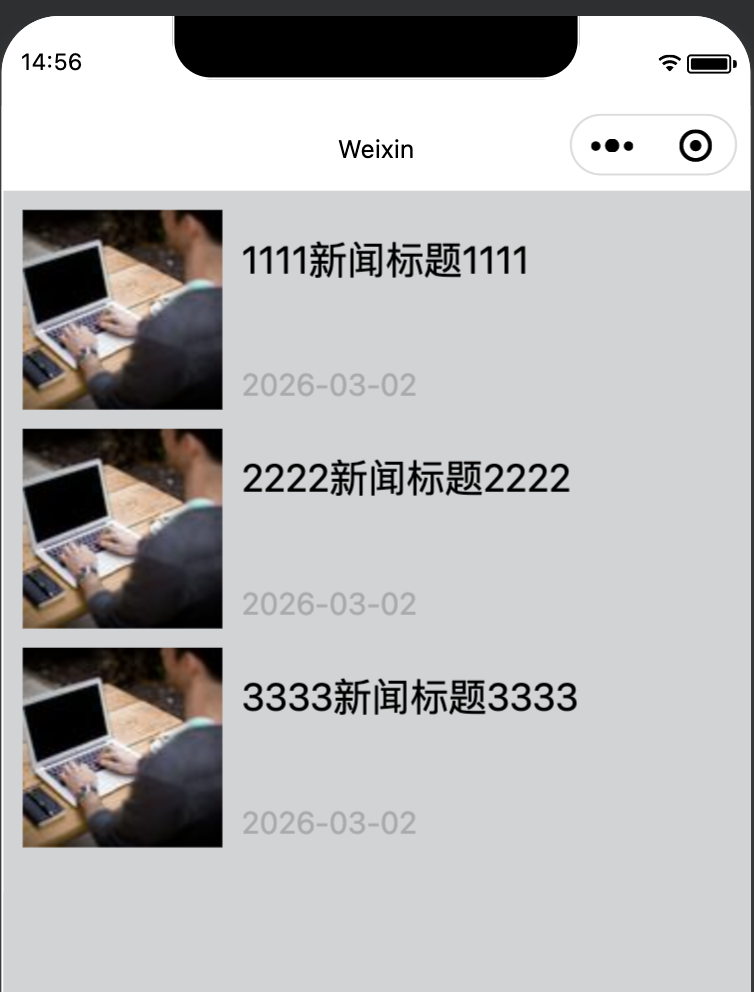
list.wxml
<view class="body">
  <!-- 文章列表模板 begin-->
  <template name="items">
    <navigator url="../../pages/detail/detail?id={

       {id}}" hover-class="navigator-hover">
      <view class="imgs">
        <image src="{

       {img}}" class="in-img" backgroud-size="cover" model="scaleToFill"></image>
      </view>
      <view class="infos">
        <view class="title">{

     {title}}</view>
        <view class="date">{

     {date}}</view>
      </view>
    </navigator>
  </template>
  <!-- 文章列表模板 end-->
  <!-- 循环输出列表 -->
  <view wx:for="{

       {shuzu}}" class="list">
    <template is="items" data="{

       {...item}}"/>
  </view>
</view>
list.js
Page({


  data: {


    id1: 1,
    shuzu: []
  },
  onLoad(options) {


    var that = this;
    wx.request({


      url: 'http://127.0.0.1:8080/mini/list',
      data: {

       //测试用参数
        x: '1',
        y: '2'
      },
      header: {


        'content-type': 'application/json'
      },
      success(res) {


        console.log(res);
        that.setData({


          shuzu: res.data
        })
      }
    })
  },
  dian(e) {


    console.log(a)
    wx.navigateTo({


      url: "/pages/detail/detail?id=" + a
    })
  },
  onShareAppMessage() {


  }
})
list.wxss
.body {


  height: 100%;
  display: flex;
  flex-direction: column;
  padding: 20rpx;
}
navigator{


  overflow: hidden;
}
.list {


  margin-bottom: 20rpx;
  height: 200rpx;
  position: relative;
}
.imgs {


  float: left;
}
.imgs image {


  display: block;
  width: 200rpx;
  height: 200rpx;
}
.infos {


  float: left;
  width: 480rpx;
  height: 200rpx;
  padding: 20rpx 0 0 20rpx;
}
.title {


  font-size: 20px;
}
.date {


  font-size: 16px;
  color: #aaaaaa;
  position: absolute;
  bottom: 0;
}
.loadMore {


  text-align: center;
  margin: 20px;
  color: #aaaaaa;
  font-size: 16px;
}
page {


  background-color: #d1d3d4;
}
@RestController
@RequestMapping("/mini")
public class TestController {


    @GetMapping("/list")
    public List<News> test(String x, String y) {


        System.out.println("x:" + x  + "   y:" + y);
        List<News> list = new ArrayList<>();
        list.add(new News(1, "../../images/1.jpg", "1111新闻标题1111", LocalDate.now(), ""));
        list.add(new News(2, "../../images/1.jpg", "2222新闻标题2222", LocalDate.now(), ""));
        list.add(new News(3, "../../images/1.jpg", "3333新闻标题3333", LocalDate.now(), ""));
        return list;
    }
}
4.2、新闻详情页
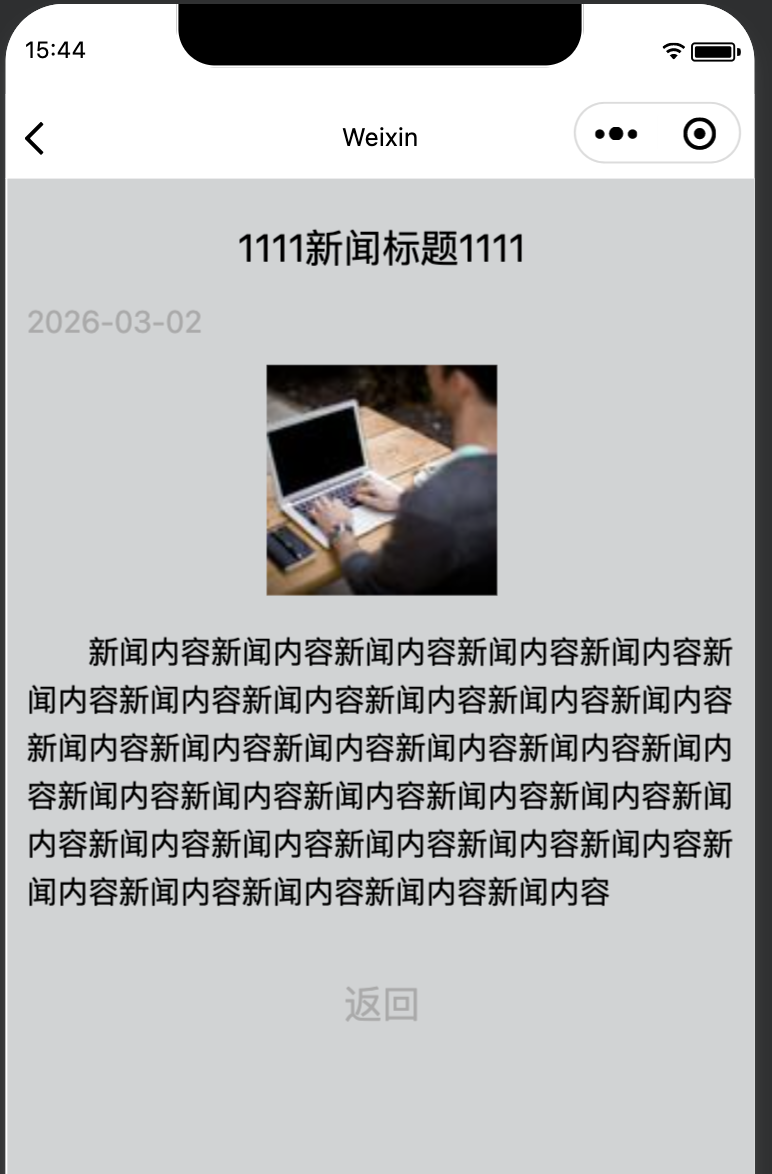
detail.wxml
<view class="warp">
  <view wx:for="{

       {data}}">
    <view class="title">{

     {item.title}}</view>
    <view class="cTime">{

     {item.date}}</view>
    <view class="img">
      <image src="{

       {item.img}}" class="in-img" background-size="cover" model="scaleToFill"></image>
    </view>
    <view class="content">{

     {item.content}}</view>
    <view class="close" bind:tap="closepage">返回</view>
  </view>
</view>
detail.js
var app = getApp()
Page({


  data: {


    id1: 1,
    data: []
  },
  onLoad(options) {


    var that = this;
    wx.request({


      url: 'http://127.0.0.1:8080/mini/detail',
      data: {


        id: decodeURIComponent(options.id)
      },
      method: 'POST',
      header: {


        'content-type': 'application/x-www-form-urlencoded'
      },
      success(res) {


        console.log(res.data)
        that.setData({


          data: res.data
        })
      }
    })
  },
  closepage() {


    wx.navigateBack()
  },
  toastChange() {


    this.setData({


      toastHidden:true
    })
    wx.navigateBack()
  }
})
detail.wxss
.warp {


  height: 100%;
  display: flex;
  flex-direction: column;
  padding: 20rpx;
}
.title {


  text-align: center;
  padding: 20rpx;
  font-size: 20px;
}
.cTime {


  color: #aaaaaa;
}
.img {


  text-align: center;
  padding: 20rpx;
}
.img image {


  width: 120px;
  height: 120px;
}
.content {


  text-indent: 2em;
}
.close {


  text-align: center;
  margin: 30px;
  font-size: 20px;
  color: #aaaaaa;
}
page {


  background-color: #d1d3d4;
}
@PostMapping("/detail")
    public List<News> detail(@RequestParam("id")Integer id) {


        System.out.println("id:" + id);
        List<News> list = new ArrayList<>();
        list.add(new News(1, "../../images/1.jpg", "1111新闻标题1111", LocalDate.now(),
                "新闻内容新闻内容新闻内容新闻内容新闻内容新闻内容新闻内容新闻内容新闻内容新闻内容新闻内容" +
                        "新闻内容新闻内容新闻内容新闻内容新闻内容新闻内容新闻内容新闻内容新闻内容新闻内容新闻内容" +
                        "新闻内容新闻内容新闻内容新闻内容新闻内容新闻内容新闻内容新闻内容新闻内容新闻内容新闻内容"));
        return list;
    }